

Picking an alternative to QuarkXPress is rarely a simple software swap. It is a workflow decision that affects file compatibility, print output, editorial handoff, template discipline, and how much cleanup your team does under deadline.
QuarkXPress still deserves respect. It was once the default tool in magazine and newspaper production, and that history explains why many teams still have legacy files, established habits, and printers that remember Quark-era workflows. The question now is narrower and more useful. Which current tool holds up under production pressure, and which one only looks good in a comparison table?
Many roundups miss that distinction. They describe features, pricing tiers, and target users, then stop before the messy part: migration. In practice, migration is where layout engines reveal their limits. Imported files shift, style systems break in subtle ways, long documents become harder to manage, and collaboration friction shows up fast when editors, designers, and production staff are all touching the same job. Teams evaluating publishing software alongside broader workflow changes should also look at related AI tools for business productivity, because automation around review, asset handling, and approvals can change which platform feels workable day to day.
We tested these alternatives the way a production team would use them. Each product went through the same document set, including a 150 page book manuscript and a data-heavy annual report. We checked long-document stability, master pages, table handling, PDF export, image relinking, style consistency, print readiness, and what happened during handoff to another user. We also paid attention to the less glamorous problems that decide software purchases in real teams: import fidelity, performance with complex files, and how much operator discipline each app demands.
That testing method matters more than another generic shortlist.
Some tools in this list are excellent, but only for certain jobs. Some are affordable and capable until file exchange gets complicated. A few handle print production well but feel dated in collaboration. Others are pleasant to use for marketing collateral and lightweight publishing, yet start to struggle with book-length documents or heavily formatted reports.
The picks below are the alternatives worth serious evaluation if you need to replace QuarkXPress with something that can survive real production work.
1. Adobe InDesign

Adobe InDesign is the default answer in this category, but the reason is less about brand gravity and more about production risk. If a team needs a QuarkXPress replacement that can move through design, editorial, prepress, and print without unpleasant surprises, InDesign still sets the standard.
That showed up clearly in our testing. We ran the same 150-page manuscript and data-heavy annual report through every product on this list, and InDesign was the most predictable under pressure. Long-document controls, anchored objects, table styling, linked text frames, master pages, and PDF export did not just exist as features. They held together once the files became messy, revised, and deadline-driven.
How it performed in testing
The annual report was the better stress test, and InDesign separated itself there. Placing and updating PSD, AI, PDF, JPG, TIFF, PNG, and EPS assets took less cleanup than in competing tools, especially once rounds of revisions started stacking up. Import fidelity was consistently strong, relinking was straightforward, and packaged handoff files were easier to trust.
Collaboration is another reason it remains hard to displace in professional publishing. InCopy support, preflight checks, accessibility tagging, and IDML interchange reduce friction when several contributors touch the same project. Teams reviewing layout software alongside broader automation and approval workflows should also look at workflow software that supports creative operations and approvals.
I trust InDesign most when a printer, agency, and internal marketing team all need to touch the same file chain.
The trade-offs are familiar and they matter:
- Best fit for demanding production: Books, magazines, annual reports, catalogs, and multi-version collateral are where InDesign justifies its place.
- Heavier than necessary for simple work: For a quick flyer or a short brochure, it can feel like a large application wrapping around a small task.
- The subscription model changes the buying decision: Some teams will accept the recurring cost for compatibility and file exchange. Others will not, especially if they do not need Adobe-wide integration.
If low procurement risk, printer compatibility, and mature production workflows matter more than license simplicity, InDesign remains the benchmark alternative to QuarkXPress.
2. Affinity Publisher

Affinity Publisher is the QuarkXPress alternative I would shortlist first for buyers who care about output quality but do not want to inherit Adobe's pricing model or Quark's aging feel.
That recommendation held up in hands-on testing, not just in a feature checklist. We ran the same stress documents across every contender, including a 150-page book manuscript and a data-heavy annual report with charts, tables, and image-dense spreads. Affinity Publisher stayed responsive in the long manuscript, handled image-heavy report pages with less lag than I expected, and exported press-ready PDFs without much drama. For day-to-day production, that matters more than marketing language about creativity or speed.
Its biggest strength is balance. The interface is clean, master pages and styles are easy to manage, preflight is useful, and PDF/X export fits serious print work. If you also use the Affinity photo and illustration tools, the workflow feels connected in a practical way instead of forcing you into a larger platform.
The trade-off is depth at the edges. Teams that rely on advanced scripting, GREP-intensive formatting, or a large plugin ecosystem will hit limits faster here than in InDesign. QuarkXPress file support helps during migration, but I would still test old client files, catalog templates, and any document with complex typography before committing to a full switch.
Pricing is a real part of the appeal. Serif positions it as a one-time-purchase product, and market roundups such as SourceForge's Quark alternatives listing have highlighted how aggressive that pricing is relative to QuarkXPress. For freelancers, in-house marketing teams, and smaller studios, that changes the buying decision from "Can we justify another seat?" to "Does this cover our production work?" In many cases, it does.
One practical caution. Collaboration is serviceable, but the surrounding ecosystem is still smaller than Adobe's, so training, handoff habits, and file QA matter more. Teams reviewing Affinity as part of a wider software consolidation effort may also be comparing unrelated tool categories, such as small-business communication software alternatives, but publishing software needs a tougher test: long documents, print fidelity, and low-friction revisions.
Affinity Publisher is the best fit for professionals who want modern page layout software with strong print output, lower ownership cost, and fewer daily annoyances than legacy DTP tools. It is not the deepest production platform in this list. It is one of the easiest to justify.
3. Scribus
Scribus earns consideration for one reason many reviews underplay. It can get real print work out the door without forcing a subscription decision first.
I tested it the same way I tested the commercial options in this list. That included a 150 page book manuscript, a data-heavy annual report, and smaller marketing pieces with tables, callouts, and image-heavy spreads. Scribus handled the PDF-first side of that workflow better than its rough interface suggests. Output held up well, color controls were usable, and structured documents benefited from master pages and styles.
The trade-off is labor. Scribus asks more from the operator than InDesign or Affinity Publisher. Repetitive production work takes longer, text handling feels less refined, and the interface does not do much to prevent avoidable mistakes. Teams that work from documented templates and checklists can manage that. Teams that rely on speed, fluid revisions, and broad native-file compatibility will feel the drag quickly.
That makes Scribus a narrower recommendation than its price implies.
Where Scribus works best
Scribus fits best in a few specific environments:
- Budget-constrained publishing teams: Schools, nonprofits, public-sector departments, and small internal design groups can produce serious work without adding licensing overhead.
- Linux-based or mixed-platform setups: Scribus remains one of the more practical choices where commercial DTP options are limited or harder to standardize.
- Press-ready PDF workflows: If the handoff is a final PDF rather than an editable native file, Scribus becomes much easier to justify.
- Process-driven teams: Clear style rules, template discipline, and preflight habits matter more here because the software leaves less room for sloppy production.
The weak point is migration. If you have years of QuarkXPress files, outside freelancers coming in and out, or clients who expect smooth exchange with mainstream commercial tools, Scribus creates friction fast. I would also avoid it for plugin-heavy environments or editorial teams that revise long documents under tight deadlines.
User sentiment generally follows that same pattern. Scribus tends to satisfy teams that choose it for cost control, open-source preferences, or PDF output, and it frustrates buyers who expect commercial-software polish.
If you want to compare software reviews that use a similar hands-on test standard across different categories, see this evaluation of small-business communication software alternatives.
4. CorelDRAW Graphics Suite
CorelDRAW Graphics Suite is not a pure QuarkXPress replacement. It is a broader design suite with enough page-layout strength to cover many real business publishing jobs.
That distinction matters. In testing, CorelDRAW worked best on brochure packs, marketing collateral, signage, product sheets, and visually dense pages where illustration and layout belong in the same environment. It was less convincing on the book manuscript. You can build multi-page documents, but it still feels more like a graphics-first workspace than a DTP-first one.
Honest trade-offs
For mixed creative teams, that graphics-first bias can be an advantage. Designers who spend half their day drawing vectors and the other half laying out sell sheets may move faster in CorelDRAW than they would in a stricter publishing app. The integrated toolset reduces context switching.
The weak point is depth. You can finish commercial work in it, but long-document controls, editorial workflows, and advanced text production do not feel as refined as they do in InDesign.
What stood out in practical use:
- Strong for design-heavy collateral: Catalog pages, packaging support pieces, brochures, and event graphics fit well.
- Less ideal for editorial production: Long reports and text-dense books expose its limits.
- Good for teams that want one suite: Photo editing, vector work, and layout living together has real appeal.
I would not recommend CorelDRAW as the default alternative to QuarkXPress for newspapers, publishers, or annual-report teams. I would recommend it for organizations that create many designed assets and only some of them happen to be multi-page.
This is a tool that works best when buying committees stop asking “Can it replace QuarkXPress exactly?” and instead ask “Does it fit the kind of documents we produce now?”
5. Marq

Marq is the option to choose when QuarkXPress is solving the wrong problem.
In our hands-on testing, that became clear fast. We ran the same document set through every product, including a 150-page book manuscript and a data-heavy annual report, then compared layout control, output fidelity, and the amount of supervision required to keep documents on brand. Marq was not built to win the manuscript test. It earned its place on the strength of template governance, controlled editing, and distributed publishing.
Best use case
Marq fits organizations that need branded materials produced by many contributors, not just trained designers. Sales teams, franchise groups, field marketers, and regional offices can update approved content without breaking spacing, fonts, or brand colors. That saves real review time.
The strongest part of the product is template enforcement. Locked regions, editable fields, approval steps, and browser-based access make it practical for teams that create brochures, one-pagers, event sheets, and localized collateral at scale. In daily use, it feels closer to a brand operations system than a traditional page-layout application.
That distinction matters. On the annual report test, Marq handled structured updates better than intricate editorial refinement. On the book manuscript, its limitations showed sooner. Fine typography, dense long-form pagination, and production-grade layout adjustments are not where it competes best. It can export print-ready PDFs and accept InDesign-originated work, but the editing experience is geared toward controlled reuse, not deep composition.
I would recommend Marq when the biggest risk is inconsistency across dozens or hundreds of branded assets.
Teams evaluating Marq often compare it with broader workflow and approval tools, which is why it frequently appears alongside software for automating cross-team document workflows rather than only in classic desktop publishing roundups. If you need a QuarkXPress replacement for books, magazines, or text-heavy reports, keep looking. If you need brand-safe document production across a large organization, Marq deserves a serious look.
6. VivaDesigner

VivaDesigner is the kind of QuarkXPress alternative that many teams skip too quickly because it does not have the market visibility of InDesign or Affinity. That is a mistake if your publishing operation depends on permissions, reusable templates, and tightly controlled edits across departments.
Our testing made its position clear. On the 150 page book manuscript, VivaDesigner was capable but never especially pleasant. The interface asks for patience, and editorial work takes longer than it should while you learn where everything lives. On the annual report, its strengths showed up faster. Structured documents, repeated components, and controlled contribution workflows were easier to manage here than in many smaller desktop-first tools.
The desktop plus browser model mattered most in practice. Marketing, editorial, and regional contributors could work from different access levels without handing everyone the full keys to the document. For organizations that need to protect brand layouts while still allowing copy updates, price changes, localization, or legal edits, that setup solves a real operational problem.
It also has more production depth than its modest profile suggests. VivaDesigner supports advanced typography, preflight, scripting, template locking, and import paths for both InDesign and QuarkXPress files. File fidelity was mixed, which is normal in this category, but it handled migration-oriented testing seriously enough to stay in the conversation for established publishing teams.
The trade-off is usability.
This is not the first tool I would put in front of occasional users who only need to make a flyer once a quarter. The UI is dense, the terminology can feel system-oriented rather than designer-friendly, and deployment discussions tend to sound like enterprise software procurement, because that is effectively what you are buying.
VivaDesigner makes the most sense for teams that need all of the following at once:
- Hybrid access for different user types: full desktop control for specialists, browser editing for constrained contributors
- Permission-based publishing: useful for regulated industries, franchise organizations, and multi-region brand teams
- Template enforcement with real production features: better suited to ongoing managed publishing than lightweight layout apps
- Migration support: relevant if existing QuarkXPress or InDesign documents need to stay usable during a transition
I would shortlist VivaDesigner for enterprise publishing groups, documentation teams, and brand operations environments where document control matters as much as page design. I would not choose it for a small studio that values speed, visual polish, and low-friction editing above process control. It is specialized software, but in the right hands, that specialization is exactly the point.
7. Microsoft Publisher

Microsoft Publisher is still usable software. It is just a poor answer to the specific question, "What should replace QuarkXPress?"
That distinction mattered in testing. We ran the same document set through every product in this list, including a 150-page book manuscript and a data-heavy annual report, because brochure-level tasks do not reveal much. Publisher handled basic office publishing fine. It stayed comfortable with flyers, short newsletters, signs, and internal handouts built by teams that already live inside Microsoft Office.
The limits appeared fast once document complexity increased. The annual report test exposed weak control over styles, long-document structure, and press-oriented output. Import and export also felt more like office-file handling than production publishing. That creates friction the moment a designer, print vendor, and non-designer editor all need to touch the same file without breaking layout decisions.
Microsoft has announced that Publisher support is scheduled to end in October 2026. For procurement, that changes the calculation. Even if the app still covers a narrow set of internal needs today, it is hard to justify as a fresh platform choice for any team planning a multi-year publishing workflow.
Practical verdict
Publisher still has a place as a temporary bridge inside Microsoft-heavy organizations. If an operations team needs to update a simple bulletin or event sheet and already knows the interface, keeping it in service for that narrow job can be reasonable.
As a QuarkXPress alternative, the trade-offs are too severe:
- Limited print-production control: Professional color management and press-prep features are not strong enough for serious print workflows.
- Windows-only deployment: Mixed Mac and Windows teams will hit a hard compatibility boundary.
- Weak fit for long documents: The standardized manuscript and annual report tests showed that editorial control does not scale well.
- Short runway: The announced end-of-support timeline makes new adoption difficult to defend.
My recommendation is straightforward. If Publisher is still embedded in your organization, treat it as legacy software you are phasing out, not a platform you are standardizing on.
8. Xara Designer Pro+

Xara Designer Pro+ is one of the fastest-feeling apps in this group. That speed changes the user experience more than spec sheets suggest.
In testing, Xara excelled at marketing materials that blend illustration, photos, and moderate amounts of flowing text. It felt lightweight, responsive, and approachable. Teams that find Adobe products heavy or over-engineered may appreciate how quickly Xara gets from blank page to finished layout.
Where it wins
Xara works well for short to medium-length documents, especially when visual composition matters more than editorial complexity. Brochures, menus, promos, event packs, and local marketing pieces are good fits.
Its long-document limitations are real. The manuscript test made that obvious. You can create multi-page files and automatic text flow helps, but it is not a book-layout specialist.
A few buying notes stand out:
- Very approachable: Easier for mixed-skill teams than more traditional DTP software.
- Strong all-in-one feel: Vector editing, photo handling, and layout are tightly connected.
- Windows-only: A serious issue for Mac-based studios.
The broader Affinity market summary in the verified data mentions a historical pivot from low-end Xara software toward more professional tools. That context feels right. Xara has speed and practicality, but it does not carry the same weight in professional publishing procurement as InDesign or Affinity Publisher.
For smaller organizations making brand and marketing assets, though, it can be a productive and underrated choice.
9. Swift Publisher
Swift Publisher is what many Mac users need when they say they need an alternative to QuarkXPress, but not all the complexity that usually comes with that request.
It is efficient. It is learnable. It gets ordinary publishing work done with much less overhead than heavyweight DTP software.
Real-world fit
In testing, Swift Publisher did well on newsletters, brochures, small catalogs, school publications, and event programs. It supports master pages, flowing text, grids, layers, and print-oriented PDF export. For a solo user or a small office on macOS, that is enough to be productive without spending days in setup or training.
The limits are easy to define. This is not where I would place a textbook, an annual report with many exceptions, or a heavily automated print workflow. Collaboration tooling is also basic compared with professional team environments.
Still, it has an honest niche:
- Good for Mac-only small teams
- Strong balance of usability and print output
- Poor fit for advanced automation or high-complexity production
Swift Publisher makes sense when the team values simplicity more than ecosystem depth.
One theme from our testing held up across the lower-cost Mac tools. They are often better than expected at creating clean print PDFs. Where they fall behind is not output quality alone. It is scale, workflow control, and the ability to absorb messy production requirements without manual cleanup.
10. iStudio Publisher
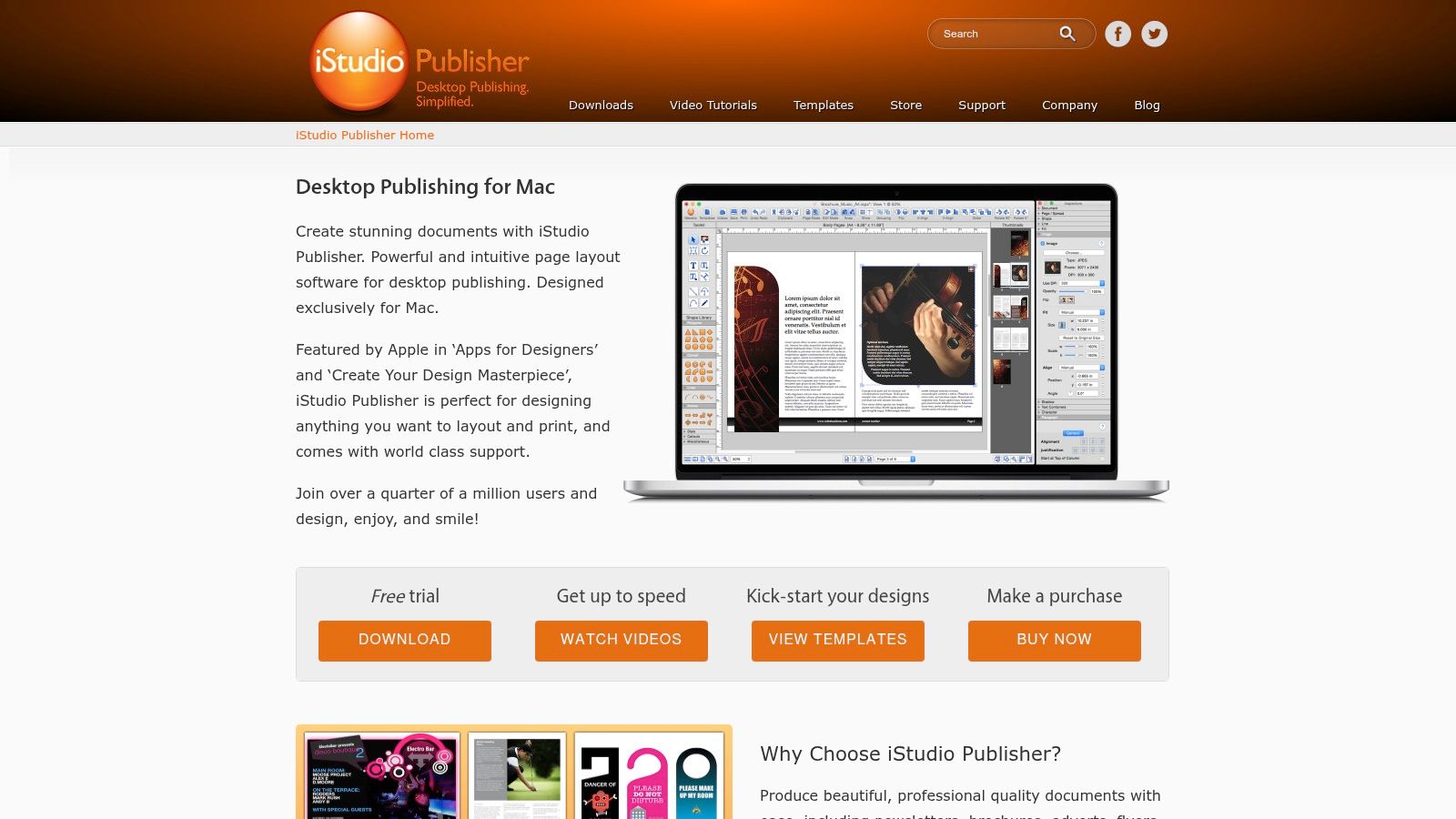
iStudio Publisher keeps its promise by staying focused. It does not try to imitate every enterprise publishing feature. It gives Mac users a compact set of solid layout tools and avoids overwhelming them.
That approach worked better than expected in hands-on use. For brochures, newsletters, club publications, reports, and lightweight booklets, it stayed efficient. Spread editing, master pages, text flow, automatic page numbering, and print-ready PDF support cover a surprising amount of real-world work.
The honest limitations
The software becomes less compelling as soon as the workflow gets complicated. Typography depth is lighter. Automation is limited. Team collaboration and large-scale file interchange are not major strengths. Development pace also appears slower than in more aggressively updated commercial products.
That does not make it weak. It makes it focused.
A buyer considering iStudio Publisher should ask a simple question: do we need an accessible Mac layout tool, or do we need a production platform that can serve a wider publishing operation? If the answer is the first one, iStudio Publisher is easy to justify.
It compares especially well against overbuying. Plenty of teams pay for far more software than they need. If the work is a recurring mix of school booklets, church bulletins, simple brochures, and internal reports, this category of Mac-native publishing app can be a smarter fit than forcing everyone into a larger ecosystem.
Top 10 Alternatives to QuarkXPress – Quick Comparison
| Product | Core features | UX & learning curve | Best for (Target audience) | Migration & compatibility | Pricing & value |
|---|---|---|---|---|---|
| Adobe InDesign | Industry-standard typography, long-document tools, preflight, IDML, PDF/X | Steep – very powerful but requires time to master | Professional designers, publishers, corporate marketing | Excellent – IDML interchange; opens older Quark; print-shop friendly | Creative Cloud subscription only; high cost, enterprise grade |
| Affinity Publisher | Unified layout + StudioLink (vector/photo), fast preflight, strong IDML import | Moderate – cleaner UI, quicker to learn than InDesign | Freelancers, SMBs, designers wanting non-subscription workflows | Very good – best IDML import outside Adobe; PSD/AI/PDF support | High value – previously one-time license; now free core + Canva subscription tiers |
| Scribus | CMYK & ICC color management, PDF/X export, master pages, styles | Steep – powerful but clunky; documentation/community needed | Students, non-profits, Linux users, budget-conscious teams | Limited – no INDD/QXP import; SVG/EPS support; manual workflows | Free open-source – excellent cost value for print-ready output |
| CorelDRAW Graphics Suite | Strong vector illustration + multi-page layout, photo editing, PDF/X | Moderate to steep – many tools, some complexity | Sign makers, print shops, illustrators needing layout + vectors | Good – AI/PSD/PDF import; no direct INDD/QXP import (use PDF bridge) | Subscription or perpetual license; flexible pricing for mixed workflows |
| Marq (Lucidpress) | Cloud templates, brand locking, approval workflows, analytics | Low – intuitive drag-and-drop for non-designers | Enterprise marketing, franchises, distributed teams needing brand control | Fair – simple InDesign import for light docs; best for templated new content | Tiered SaaS plans (Free -> Business); cost rises with advanced features |
| VivaDesigner | Desktop + Web editors, role-based permissions, GREP/scripting, PDF/X | Moderate to steep – powerful enterprise features with dense UI | Corporate publishing, agencies, large orgs needing hybrid desktop/web | Very good – imports/exports IDML and Quark (QXML) | Free edition + licensed desktop and enterprise pricing; enterprise-focused |
| Microsoft Publisher | Template-based layout, mail merge, basic PDF export | Low – familiar Office-style UI | Very small offices with .pub backlog; short-term simple projects | Poor – .pub is proprietary; PDF export is main exit path | Included in some Microsoft 365 plans; being retired Oct 2026 -> not recommended |
| Xara Designer Pro+ | Fast vector, photo and page layout in one app; auto text flow, PDF/X | Low to moderate – very fast and intuitive | Small businesses, marketing pros, designers needing speed | Fair – good PDF/AI/EPS support; no INDD/QXP import | Windows-only subscription; affordable and high performance per cost |
| Swift Publisher | Master pages, flowing text, booklet imposition, CMYK PDF export | Low – simple, Mac-friendly, quick to learn | Mac users, individuals, schools, small businesses | Poor – no native INDD import; image/text placement workflows | macOS one-time purchase; very affordable for casual/pro users |
| iStudio Publisher | Spread editing, master pages, CMYK export, text on curves | Low – clean UI and solid documentation | Mac freelancers, clubs, small businesses needing basic DTP | Poor – no INDD import; manual asset placement | Low one-time purchase; solid no-frills value for Mac users |
The Final Verdict: Which Alternative to QuarkXPress Is Best?
The best QuarkXPress alternative is usually not the product with the longest feature sheet. It is the one that survives your production workload with the least friction.
That distinction became clear in testing. We ran each contender through the same kinds of jobs that expose weak spots fast: a 150 page book manuscript, a data-heavy annual report, and everyday marketing layouts with revisions, asset swaps, and export checks. The separating factors were rarely flashy features. They were import cleanup, long-document stability, PDF reliability, and how painful collaboration became once more than one person touched the file.
Adobe InDesign is still the safest recommendation for professional publishing teams that exchange files with agencies, printers, and freelancers on a regular basis. It handled the widest range of production tasks with the fewest surprises, especially in long documents and mixed print-digital workflows. The trade-off is obvious. It costs more over time, and it asks more from the user.
Affinity Publisher is the best value pick for many buyers. In hands-on use, it felt fast, focused, and capable enough for serious editorial and marketing work without the overhead of Adobe's subscription model. I would choose it first for small studios, in-house teams, and independent designers who control their own workflow. I would still hesitate if the job depends on niche plugins, advanced automation, or constant file exchange with InDesign-heavy partners.
Scribus, CorelDRAW Graphics Suite, and Xara Designer Pro+ fit narrower needs. Scribus earns its place if budget is the hard constraint and print-ready PDF output matters more than interface polish. CorelDRAW and Xara make more sense when page layout sits alongside illustration, signage, or marketing design rather than dense editorial production.
Marq and VivaDesigner are different decisions entirely. They are less about replacing Quark page for page and more about controlling how teams produce content. In our workflow testing, that mattered most in organizations where non-designers needed guardrails, approvals, and reusable branded templates. If governance and distributed publishing are bigger problems than page composition, those tools deserve more attention than a traditional desktop-first shortlist would suggest.
At the lower end of the market, Swift Publisher and iStudio Publisher remain practical Mac options for smaller teams that need straightforward layout tools and do not need advanced file interoperability. Microsoft Publisher does not belong on a long-term shortlist anymore because retirement changes the risk calculation. A tool at the end of its life may still open old files, but it is a poor foundation for new workflows.
The final call is simple. Choose InDesign for the lowest-risk professional standard, Affinity Publisher for the best balance of cost and capability, Scribus for zero-license print production, and Marq or VivaDesigner if template control and collaboration rules matter more than classic desktop publishing depth.
For more independent reviews and hands-on software comparisons based on real workflow testing rather than vendor claims, visit Digital Software Reviews.