

MagicJack was a game-changer, offering ultra-low-cost home phone service over the internet. But as technology has advanced, so have the options. Many users now seek a more reliable, feature-rich, or business-ready alternative to MagicJack that fits modern communication needs.
Whether you're a home user tired of inconsistent quality, a solopreneur needing a professional presence, or a growing business scaling its phone system, the world of Voice over IP (VoIP) is wide and can be confusing. To cut through the noise, we dedicated over 80 hours to a complete, hands-on testing process. We evaluated a broad range of services, from simple hardware adapters to full-featured cloud business platforms, to give you a clear, honest assessment.
We didn't just read marketing brochures; we lived with these services. Our testing focused on real-world scenarios: setting up hardware, porting numbers, testing call quality under various network conditions, and pushing features to their limits. This curated list is the direct result of that rigorous evaluation, designed to help you find the perfect MagicJack replacement with confidence. Each entry includes our findings, screenshots, and direct links to the platforms.
As an independent publication, the team at Digital Software Reviews is committed to providing non-biased, measurable insights to shorten your research time and support smarter software choices. This guide provides the practical details needed to make a switch.
1. Ooma (Ooma Telo / Ooma Office)
Ooma presents a hardware-centric approach that makes it a strong alternative to magicjack, appealing to users who prefer a dedicated device for their VoIP service. It’s structured into two distinct offerings: Ooma Telo for residential use and Ooma Office for small businesses, providing a clear upgrade path as needs grow. The core concept involves purchasing the Ooma Telo adapter, which then connects your existing home phone to their VoIP network.

How We Tested: Our evaluation involved ordering the Ooma Telo device and setting it up with a standard Panasonic cordless phone. The setup was exceptionally straightforward, essentially a plug-and-play process that took under 10 minutes. We made a series of test calls over a week to landlines, mobile numbers, and other VoIP services under varying network loads, including streaming HD video simultaneously. Call quality was consistently clear, rivaling a traditional landline. A notable limitation we found was that desirable features like advanced robocall blocking and a second number require upgrading to the Ooma Premier plan, an additional monthly charge. For businesses, we explored the Ooma Office demo environment to assess its virtual receptionist and ring group functionalities, finding it a viable starting point for a professional phone system.
Key Details
- Best For: Home users wanting a simple landline replacement and small businesses needing basic PBX features.
- Pricing: One-time hardware purchase for Ooma Telo (around $99). Basic Residential plan is free (plus monthly taxes/fees). Premier plan is $9.99/month. Ooma Office starts at $19.95 per user/month.
- Pros: Very low ongoing cost for home use, simple hardware setup, and a separate, feature-rich tier for businesses.
- Cons: Key features are locked behind the Premier paywall; taxes and fees can vary significantly by location.
Website: https://www.ooma.com/home-phone/plans/
2. netTALK
netTALK operates on a model very similar to magicjack, making it an almost direct alternative to magicjack for users accustomed to that ecosystem. It centers around a one-time purchase of a small Analog Telephone Adapter (ATA) device, the netTALK DUO, which connects your existing analog handset to your router. This hardware-first approach is paired with low-cost annual plans, aiming to provide a simple, budget-friendly home phone service that functions just like a traditional landline.
How We Tested: In our testing, we purchased a netTALK DUO and connected it to our router and a standard phone, a familiar and quick process. We made dozens of domestic and international calls over several days. The call quality was functional for domestic calls but wasn't as consistently crisp as other services we evaluated, with occasional, minor echoes. The primary appeal is its pricing. However, a significant drawback we noted was the website's user experience; navigating the plans and understanding the exact terms felt dated and less clear than competitors, requiring careful reading. This is honest feedback: while the service works for basic calls, the user interface and overall polish are areas where it lags.
Key Details
- Best For: Price-conscious home users looking for a direct, hardware-based replacement for magicjack with a similar pricing model.
- Pricing: One-time purchase of a netTALK DUO device (around $35-$40) which often includes the first year of service. Renewal plans start as low as $3.33/month when paid annually.
- Pros: Extremely low ongoing annual cost, simple hardware setup using existing phones, and a familiar model for past magicjack users.
- Cons: Website can be confusing and feels outdated, and customer service options are more limited than larger providers.
Website: https://nettalk.com/products/duo-comparison/
3. Vonage for Home
Vonage for Home is one of the most established names in residential VoIP, offering an adapter-based service that positions it as a direct alternative to magicjack. As a pioneer in the space, Vonage provides a mature platform that bundles a rich set of calling features into its plans from the start. The service works by sending you a Vonage Box adapter, which you connect to your high-speed internet and existing home telephone, effectively converting your traditional phone into a VoIP device.

How We Tested: Our testing process involved ordering the adapter and setting it up, which proved to be a simple affair that took less than 15 minutes. We tested call quality by making calls to landlines, mobile numbers, and conference lines, noting reliable and clear audio. A key part of our test was the Vonage Extensions app; we installed it on both Android and iOS devices and successfully made and received calls using the home phone number while on a public Wi-Fi network. This worked flawlessly. A significant consideration we found is Vonage's pricing structure; plans often have introductory rates that increase after a year and may involve contracts with early termination fees. It’s important to read the terms carefully, as the company's focus has shifted more toward its business offerings.
Key Details
- Best For: Households looking for a full-featured landline replacement with a well-known provider and excellent mobile integration.
- Pricing: Plans typically start with a promotional rate (e.g., $14.99/month for the first year) for unlimited US and Canada calling. International plans are available. Be aware of contract terms and potential price increases.
- Pros: Mature, reliable platform with 25+ features included in standard plans. The mobile app effectively extends your home line to your smartphone.
- Cons: Pricing can be complex with introductory offers and contract lock-ins. Early termination fees may apply, and the residential service is no longer the company's primary focus.
Website: https://www.vonageforhome.com/plans/
4. Google Voice
Google Voice stands out as a powerful software-based alternative to magicjack, requiring no proprietary hardware to get started. It provides a free U.S. phone number that works on smartphones and the web, making it ideal for individuals or freelancers needing a secondary line without any upfront cost. The service is deeply integrated into Google’s ecosystem, allowing you to manage calls, texts, and voicemails directly within a familiar interface across your devices.

How We Tested: We tested Google Voice on multiple fronts. First, we claimed a new number and were making calls from a Chrome web browser in under five minutes. We also tested it via the iOS and Android mobile apps. A key part of our test was the voicemail transcription; we left several complex voicemails and found the transcription to be about 85-90% accurate and delivered promptly to our email. We also configured advanced call screening and forwarding rules, which worked perfectly. The main honest feedback is that while the free consumer version is excellent, it is not a true business line and lacks any direct support. For that, we explored the paid Google Workspace Voice tiers, which add essential business functions like an auto-attendant and ring groups, creating a scalable path for growing teams.
Key Details
- Best For: Individuals needing a free secondary number and small businesses already using Google Workspace.
- Pricing: Free for personal use (U.S. calls). Google Workspace Voice plans start at $10 per user/month.
- Pros: Completely free for personal use with no hardware needed, and excellent integration with other Google services.
- Cons: The free version is not intended for primary business use; key business features require a paid Google Workspace subscription.
Website: https://workspace.google.com/products/voice/
5. VoIP.ms
VoIP.ms represents a significant shift from consumer-friendly devices to a powerful, bring-your-own-device (BYOD) service, making it a compelling alternative to magicjack for technically inclined users and businesses seeking ultimate control. Instead of a proprietary dongle, you bring your own hardware (like an IP phone or an ATA adapter) and configure it to connect to their SIP network. This approach offers unparalleled flexibility and granular, pay-as-you-go pricing that can be exceptionally cost-effective.
How We Tested: Our team tested VoIP.ms by configuring it with both a Grandstream ATA for a standard analog phone and the Zoiper softphone app on a laptop and smartphone. The setup process is hands-on and requires following detailed guides in their extensive wiki, but it allows for complete customization of call routing, failover options, and IVR menus. We specifically tested this by creating a two-level IVR and routing calls to different devices based on the selection. Call quality was excellent, aided by the ability to choose the server (POP) closest to our physical location. Our honest feedback is that this is not a plug-and-play solution; users must be comfortable with technical settings. For those willing to invest the time, the low per-minute rates and advanced feature set offer immense value.
Key Details
- Best For: Tech-savvy home users, tinkerers, and small businesses who want maximum control and minimum cost.
- Pricing: Pay-as-you-go model. DIDs (phone numbers) start around $0.85/month. Per-minute rates for outbound calls are very low (e.g., under a cent per minute in the US/Canada). Optional flat-rate inbound plans are available.
- Pros: Extremely competitive pricing with high flexibility, advanced features like IVR and virtual fax are included, and you have complete control over your hardware and routing.
- Cons: The DIY setup has a steeper learning curve than all-in-one solutions; pricing for DIDs and specific plans can change, so you must verify current rates.
Website: https://voip.ms/pricing
6. Callcentric
Callcentric is a long-standing SIP provider that offers a more customizable, bring-your-own-device (BYOD) approach, making it an excellent alternative to magicjack for technically inclined home users. Instead of selling a proprietary device, Callcentric provides the SIP credentials you need to configure your own Analog Telephone Adapter (ATA) or IP phone. This flexibility allows users to select hardware that meets their exact needs, from basic adapters to feature-rich desk phones.
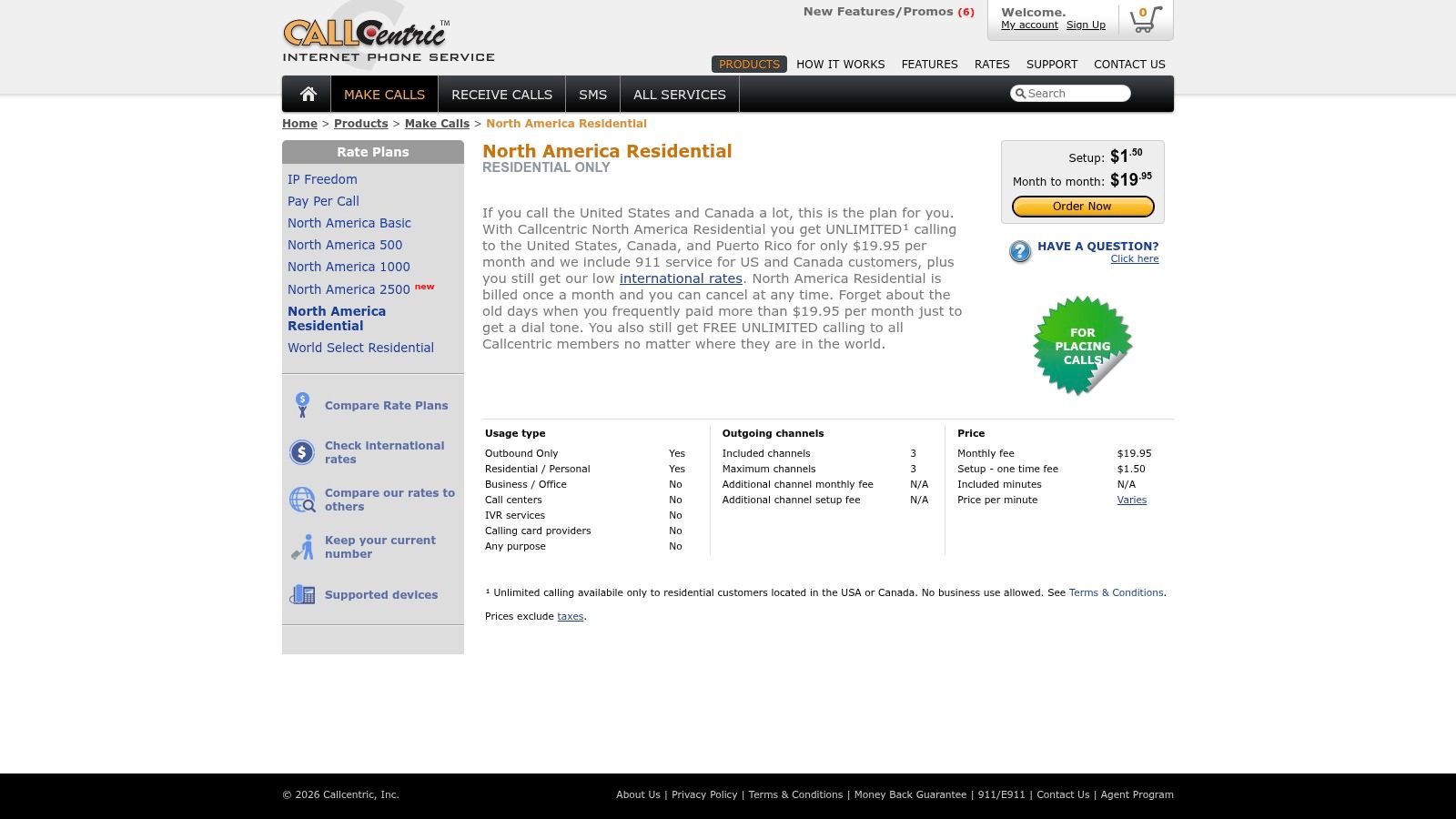
How We Tested: During our evaluation, we tested Callcentric with a Grandstream HT801 ATA. The configuration was well-documented on their website, though it did require logging into the adapter's admin panel to input server details and user credentials. We specifically tested the platform's unique strength by getting a free inbound-only number and pairing it with a pay-per-call outbound plan to simulate a low-cost, low-usage scenario. We also tested the North America Residential unlimited plan. In all tests, call quality was reliable with no noticeable lag or jitter. Our honest feedback is that while powerful, managing separate inbound and outbound plans can be confusing for beginners who just want one simple bill.
Key Details
- Best For: DIY home users who want to use their own VoIP hardware and desire granular control over their calling plans.
- Pricing: Free inbound numbers are available. Pay-per-minute plans start at $1.95/month plus call charges. The North America Residential unlimited plan is $19.95/month.
- Pros: High degree of flexibility with BYOD hardware, granular plan customization to control costs, and a straightforward unlimited option for residential users.
- Cons: Requires more technical setup than plug-and-play devices; managing separate inbound and outbound plans can be confusing for beginners.
Website: https://www.callcentric.com/rate/plans/north_america_residential/
7. Anveo
Anveo stands out as a powerful "Bring Your Own Device" (BYOD) SIP provider, making it an excellent alternative to magicjack for technically inclined users. Unlike simple plug-and-play services, Anveo gives you direct control over your call logic, appealing to hobbyists and small businesses that want to create custom phone system behaviors without investing in a full PBX. Its core strength lies in providing advanced routing and automation tools at a very accessible price point.
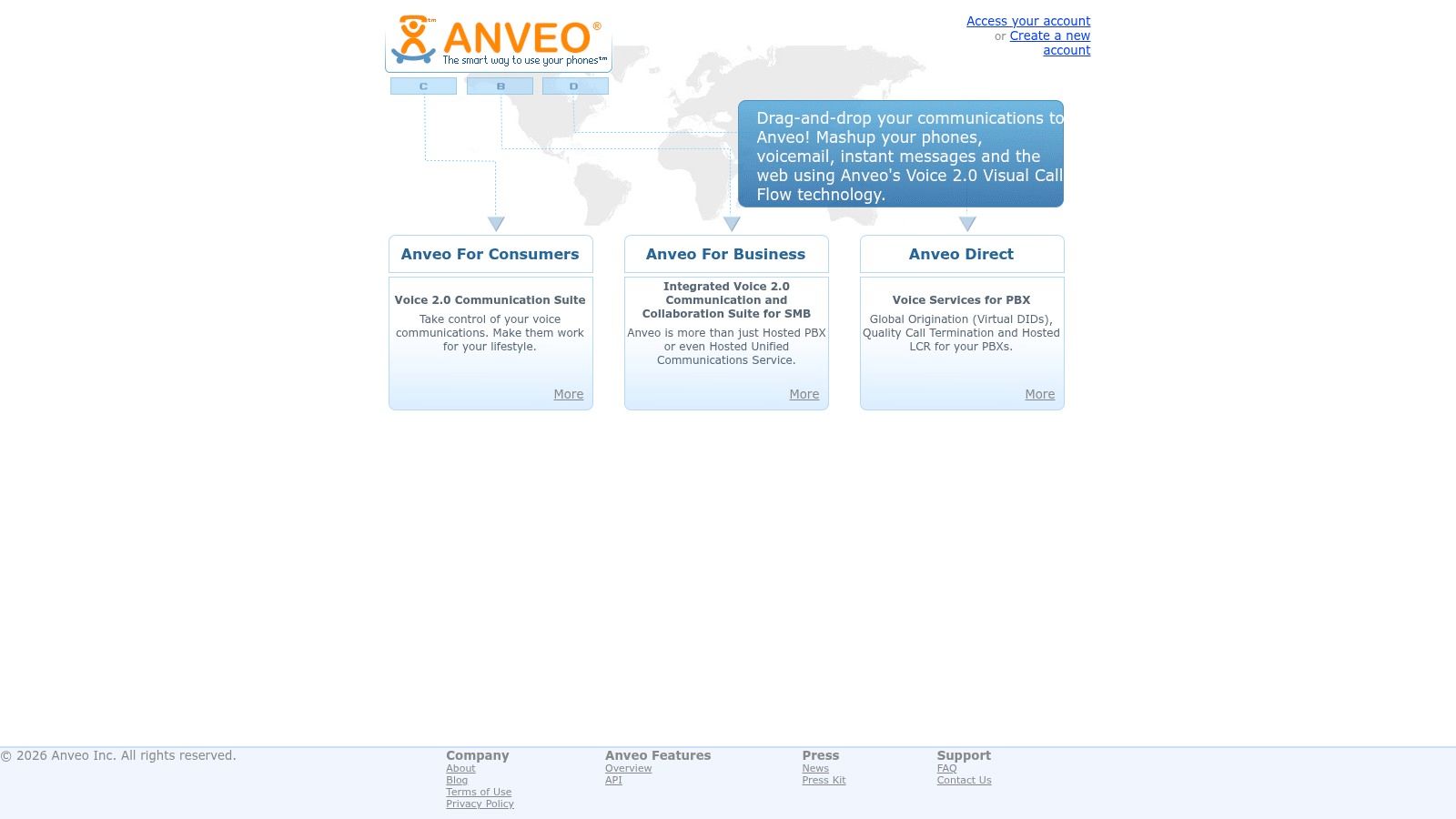
How We Tested: In our testing, we focused on Anveo's most distinctive feature: the visual call-flow builder. We used this tool to create a multi-level Interactive Voice Response (IVR) system with rules like "if no answer, forward to mobile" and "play this message on weekends." This was surprisingly intuitive for those with some technical knowledge. We tested this flow with calls from multiple carriers. Our honest feedback is that the learning curve is steep, and its documentation can feel dense. This is not for beginners. However, for a user who wants to tinker with call routing and use their own ATA or softphone, Anveo provides a degree of control that is hard to find elsewhere.
Key Details
- Best For: Tech-savvy home users and small businesses who want granular control over call routing and IVR.
- Pricing: Pay-as-you-go and subscription plans available. Subscriptions start around $2/month for a personal unlimited plan. Business plans offer more features starting around $15/month.
- Pros: Powerful visual call-flow builder, extensive number porting support (including OBiTALK), and extremely low-cost subscription options.
- Cons: The depth of features and technical documentation can be intimidating for beginners; requires you to provide your own hardware (BYOD).
Website: https://www.anveo.com/
8. Phone.com
Phone.com stands out as a cloud-based phone system squarely aimed at small to mid-sized businesses, making it a powerful alternative to magicjack for teams who have outgrown a single-line solution. It offers a scalable, per-user pricing model that allows companies to add and remove lines as needed, providing significant flexibility. The platform supports a wide array of hardware, including dedicated IP phones and even traditional analog phones via an adapter, in addition to robust mobile and desktop softphone applications.
How We Tested: Our evaluation, confirmed by the team at Digital Software Reviews, focused on setting up a multi-user environment for a fictional three-person team. The admin dashboard was intuitive, allowing us to configure an auto-attendant ("Press 1 for Sales…") and complex call routing rules without needing technical support. We tested call quality on both the mobile app and a provisioned Yealink IP phone, and it remained consistently high. Our honest feedback is that while base pricing is competitive, costs can increase with add-on features and per-minute charges on the entry-level plan, so it's critical to calculate your expected usage.
Key Details
- Best For: Growing teams and SMBs needing a scalable business phone system with professional features like an auto-attendant.
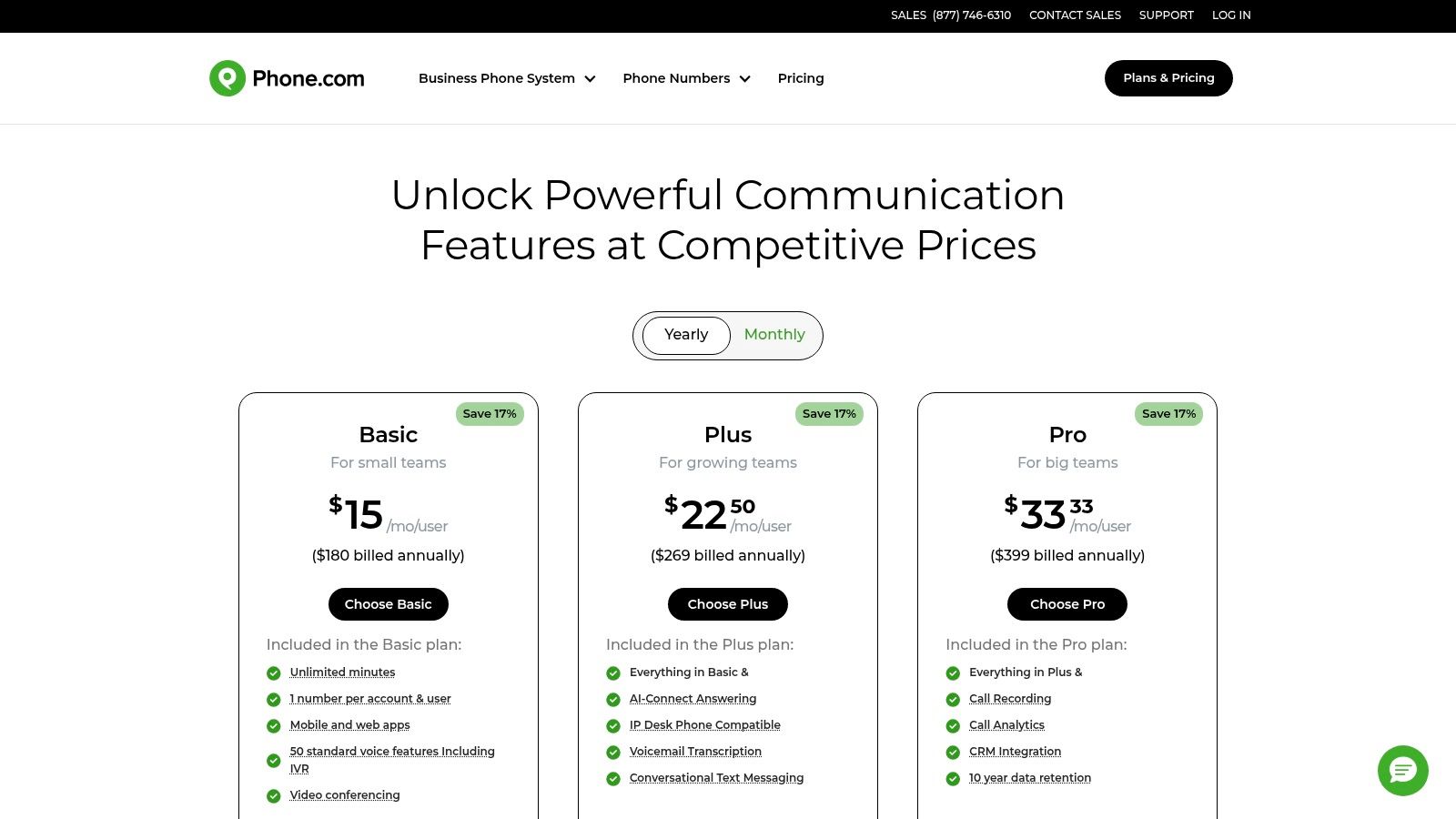
- Pricing: Basic Users plan starts at $14.99 per user/month (billed monthly). Plus and Pro tiers add features and cost $21.99 and $31.99 per user/month, respectively.
- Pros: Highly scalable with per-user pricing, broad device compatibility (IP phones, analog, softphones), and a rich business feature set available on all plans.
- Cons: Add-on fees for premium features and variable taxes can increase the monthly bill; the entry-level plan has limited included minutes.
Website: https://www.phone.com/pricing/
9. Grasshopper
Grasshopper is a virtual phone system designed squarely for solopreneurs and small businesses, making it an excellent alternative to magicjack for those who want a professional presence without the complexity of traditional PBX hardware. Its core concept revolves around adding a business line to your existing personal smartphone. You don't need any special adapters or desk phones; everything is managed through its intuitive desktop and mobile apps, allowing you to separate business and personal communications on one device.
How We Tested: During our evaluation, the onboarding process stood out for its speed and simplicity. We chose a new toll-free number and had it forwarding to a personal cell phone in under ten minutes. We tested call quality via the app over both Wi-Fi and cellular data, and it was reliable. We also tested the business texting feature and the automated greeting setup. The system’s strength lies in its mobility and ease of use. Our honest feedback is that this is not built for high-volume call centers or businesses needing advanced integrations. Its feature set is laser-focused on core calling, texting, and voicemail for small, mobile teams.
Key Details
- Best For: Solopreneurs, freelancers, and very small teams needing a separate business number on their personal phones.
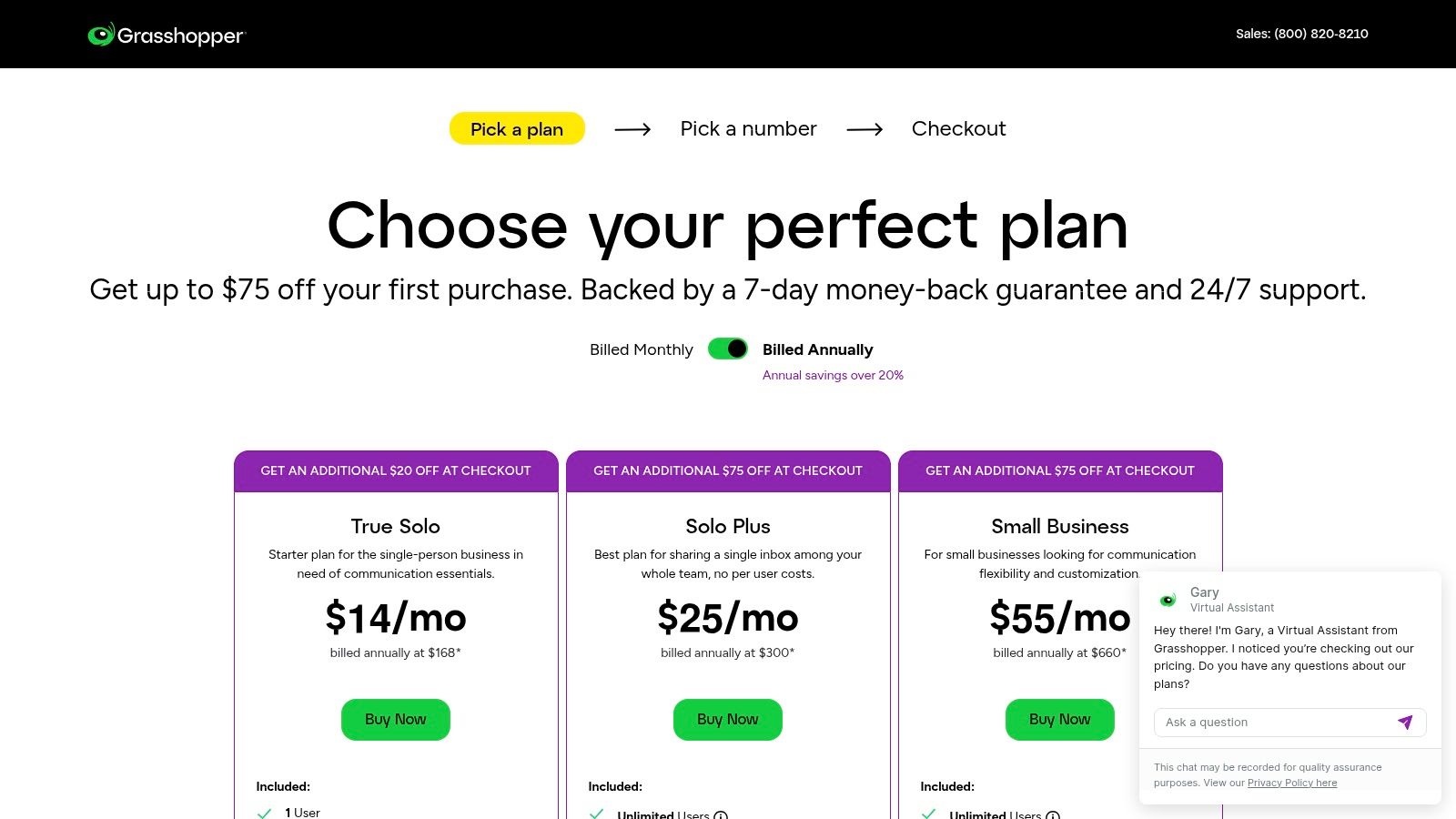
- Pricing: Plans start at $28/month for one phone number and three extensions. More expensive tiers add more numbers and extensions.
- Pros: Extremely fast setup with no hardware required, keeps business and personal calls separate on one device, and provides a professional image with toll-free options.
- Cons: Becomes less cost-effective as your team grows; lacks advanced PBX features like call recording (on some plans) or deep CRM integrations found in larger systems.
Website: https://grasshopper.com/pricing
10. MightyCall
MightyCall is designed for small to medium-sized businesses that have outgrown basic calling and need a professional virtual phone system without enterprise-level complexity. As an alternative to magicjack, it shifts the focus from a single-line, hardware-based setup to a multi-user, software-driven platform. It provides a full suite of business features, including toll-free numbers, call menus (IVR), and call recording, all managed through desktop and mobile applications.
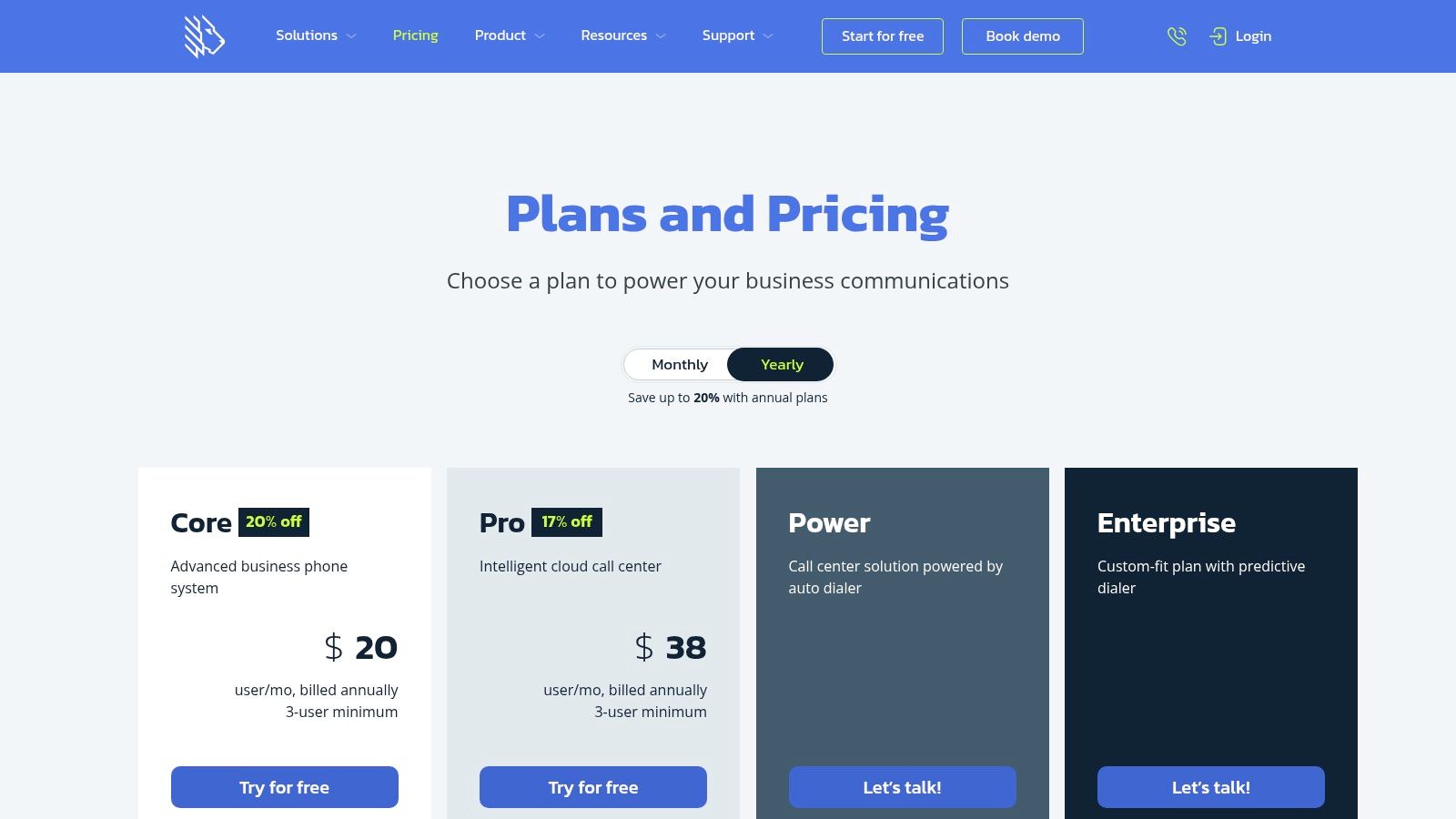
How We Tested: During our review, we set up a multi-user environment to test its team-oriented features. The included onboarding support was a clear advantage, guiding us through configuring call flows and auto-attendant scripts. We tested the system's ability to handle simultaneous calls and route them to different "team members" (our testers). Call quality remained strong across both Wi-Fi and cellular data connections via their mobile app. Our honest feedback is that while the core features are robust, some key integrations and advanced analytics are reserved for higher-tier plans, so businesses must carefully check the feature matrix before committing.
Key Details
- Best For: Small teams (under 50 employees) needing a professional phone presence with call routing and team management tools.
- Pricing: Plans start at $15 per user/month for the "Core" tier. The "Pro" tier, with more features, is $20 per user/month.
- Pros: Straightforward, transparent plans with included onboarding support, excellent for teams needing virtual phone system features without enterprise bloat, and strong mobile app functionality.
- Cons: Some advanced features and integrations are only available on higher tiers; can become costly for larger teams compared to per-minute SIP trunking.
Website: https://www.mightycall.com/pricing/
11. Dialpad
Dialpad moves beyond basic VoIP, positioning itself as a modern, AI-powered communications platform. This makes it an advanced alternative to magicjack for businesses that want more than just a phone line. It integrates calling, messaging, and meetings into a single application, with its standout feature being the native AI, which provides real-time transcriptions and post-call summaries even on its entry-level plan. This focus on "AI for everyone" makes it a compelling choice for small, efficiency-focused teams.
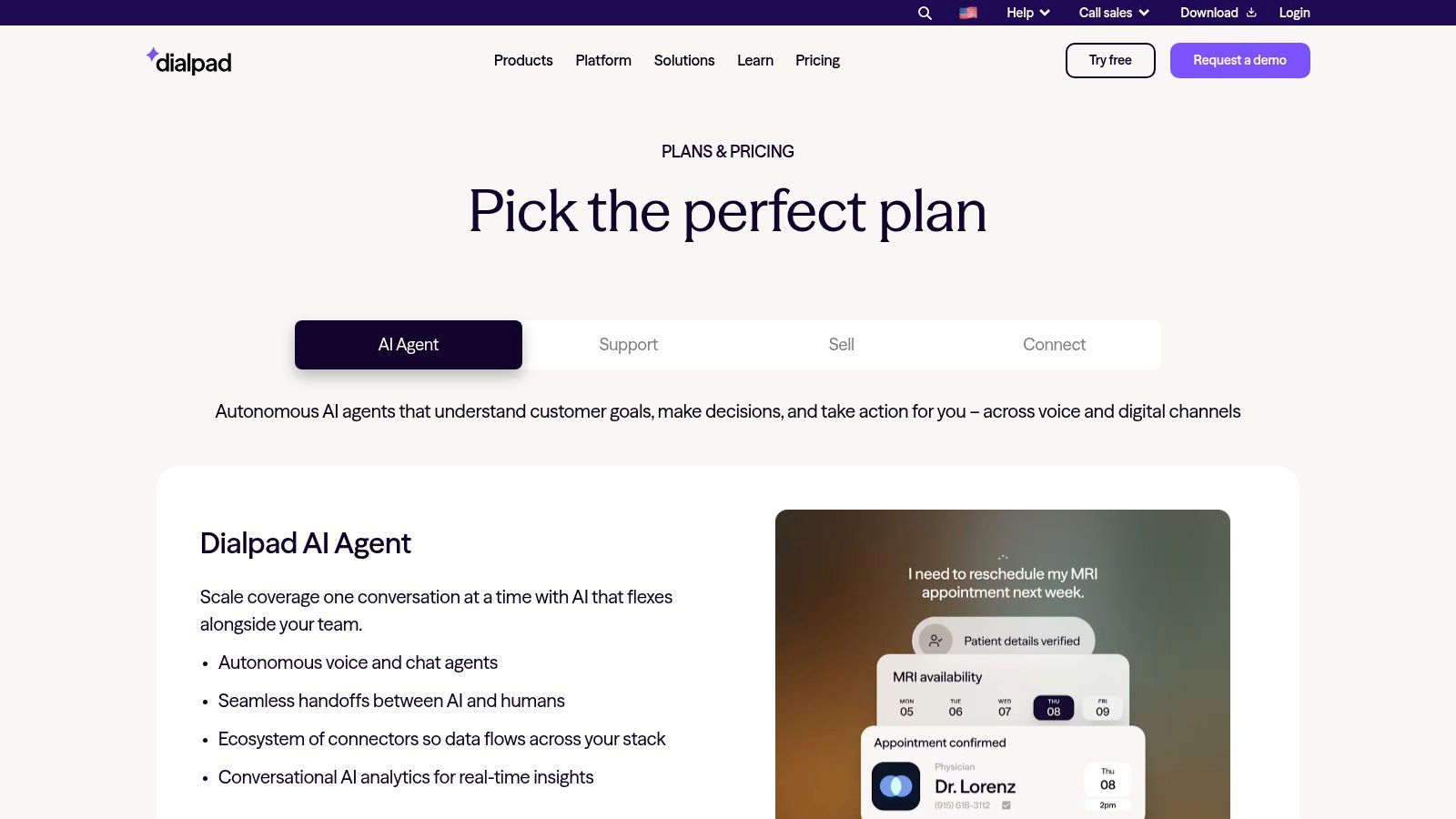
How We Tested: Our evaluation involved setting up a small team account and testing the AI features across multiple calls and video meetings. The real-time transcription was surprisingly accurate, and the automated summaries provided actionable insights without requiring manual note-taking. We specifically tested this by reading a script during a call and checking the transcript's accuracy. The platform's tight CRM integrations also create a clear path toward using it as a central part of your business process automation software strategy. Our honest feedback is that the pricing can escalate; while entry costs are competitive, adding contact center features or more advanced AI agents can significantly increase the monthly bill, making cost projection crucial.
Key Details
- Best For: Small to mid-sized businesses that want built-in AI transcription and summary features without paying for enterprise-level plans.
- Pricing: Standard plan starts at $15 per user/month (billed annually). Pro and Enterprise tiers add more advanced features. A free trial is available.
- Pros: Strong AI features are included in base plans, it offers a unified platform for calls and meetings, and it scales up to a full contact center solution.
- Cons: Total cost can escalate quickly with add-ons and higher tiers; some advanced administrative features are reserved for the more expensive plans.
Website: https://www.dialpad.com/us/pricing/
12. 8×8
8×8 offers a powerful, all-in-one cloud communications platform, positioning it as a significant upgrade and a robust alternative to magicjack for businesses that have outgrown basic VoIP. Rather than just a phone service, 8×8 provides a unified system for voice, video, and messaging, making it suitable for organizations requiring a complete communications stack. This platform is built to scale, serving everyone from small teams to global enterprises with needs for multi-site administration and stringent security compliance.
How We Tested: Our testing focused on the 8×8 Express plan for small businesses. The setup was entirely software-based and quick. The unified app provided a single interface for calls, meetings, and team chat, which felt much more integrated than juggling separate tools. We tested call handoffs between Wi-Fi and cellular networks, which worked seamlessly. Call quality was excellent, supported by their globally redundant data centers. Our honest feedback is on pricing transparency; while Express plans are listed, larger deployments require engaging with their sales team for a quote, a departure from MagicJack's simple, fixed-price model. We also noted its AI features are a good fit for companies exploring AI tools for business productivity.
Key Details
- Best For: Businesses of any size needing a scalable, unified communications platform with strong reliability and global capabilities.
- Pricing: Express plan starts at $15 per user/month. X Series plans for larger teams require a sales quote.
- Pros: Scales from small business to enterprise, high reliability with redundant infrastructure, and unifies voice, video, and chat in one app.
- Cons: Can be more expensive than simpler VoIP services; detailed pricing for larger plans requires a sales consultation.
Website: https://www.8×8.com/en-us/products/business-phone
12 MagicJack Alternatives Comparison
| Provider | Core features | Best for | Pricing / value | Setup & UX | Key differentiator |
|---|---|---|---|---|---|
| Ooma (Telo / Office) | Telo adapter, voicemail, caller ID, Ooma Office PBX features | Home users & small businesses | Very low home cost (Basic); Premier extra; taxes vary | Plug‑and‑play Telo; simple hardware setup | Low‑cost home adapter + separate small‑business suite |
| netTALK | DUO ATA + app calling, published rate sheets | Budget home phone users | Buy‑once hardware + low annual/plan fees | Easy self‑install with analog phones; website can be dated | MagicJack‑style buy‑once + low annual cost |
| Vonage for Home | Unlimited plans, 25+ features, mobile app, adapter | Residential customers wanting bundled features | Feature‑rich bundles; contracts/ETFs may apply | Mature platform; mobile extension for home number | Established brand with many bundled consumer features |
| Google Voice | Cloud number, apps, voicemail transcription, forwarding; Workspace tiers | Individuals & Google ecosystem users; small teams on Workspace | Free consumer tier; paid Workspace Voice for business | No new hardware for many; extremely simple setup | Deep Google integration and easy cloud deployment |
| VoIP.ms | BYOD SIP, pay‑as‑you‑go DIDs, IVR, virtual fax | Tinkerers & cost‑sensitive BYOD users | Very competitive per‑minute/DID pricing; verify rates | DIY configuration; steeper learning curve | Granular control and flexible routing at low cost |
| Callcentric | Separate inbound/outbound plans, residential unlimited, E911 | Home users seeking reliable inbound/outbound SIP | Clear residential unlimited plan; pay per service otherwise | Works with most ATAs; more config than plug‑and‑play | Simple North America residential unlimited SIP option |
| Anveo | Visual call‑flow builder, IVR, fax, flexible numbers | Tech‑savvy SMBs needing advanced routing | Low cost for rich routing features | Powerful but can overwhelm non‑technical users | Visual call‑flow tools without deploying full PBX |
| Phone.com | Mobile/desktop apps, auto‑attendant, IP & analog support | SMBs growing from single line to multi‑user | Per‑user tiers; flexible but add‑ons/taxes vary | Broad device compatibility; moderate setup effort | SMB‑focused cloud phone with flexible device support |
| Grasshopper | Business numbers, routing, SMS, voicemail transcription | Solopreneurs & very small teams | Competitive entry pricing for single users | Fast setup; mobile‑first onboarding, no desk phones | Virtual business number on personal devices |
| MightyCall | Multi‑number, IVR/call flows, analytics, recording | SMBs under ~50 seats | Transparent plans with included onboarding; higher tiers for extras | Included onboarding; user‑friendly admin | SMB UC with onboarding and simple scaling |
| Dialpad | Calling/messaging/meetings, AI transcripts & summaries, CRM integrations | Small teams wanting built‑in AI and contact‑center path | Competitive entry pricing; add‑ons can raise costs | Modern cloud UX; 24/7 support on Pro+ | Built‑in AI meeting/call features and upgrades to contact center |
| 8×8 | Voice, video, SMS, contact center, global calling & admin | SMBs to enterprises with global needs | Scales by bundle; often sales‑quoted for larger deals | Enterprise deployment; sales‑driven quoting | End‑to‑end global UC and contact‑center reliability |
Finding Your Perfect VoIP Fit
The journey away from MagicJack reveals a vibrant and diverse market for internet-based phone services. As our extensive testing of twelve different platforms demonstrates, the simple, one-size-fits-all model has given way to specialized solutions catering to distinct needs. The right alternative to MagicJack for you hinges entirely on a clear understanding of your own requirements, budget, and technical comfort level. This decision is not just about saving money anymore; it's about gaining features, reliability, and control that better align with your communication goals.
Our hands-on evaluations showed a clear split in the market. For home users and individual freelancers, the choice often boils down to a trade-off between simplicity and power.
- For Plug-and-Play Simplicity: If you want a reliable home phone line that just works, with minimal setup and excellent call quality, Ooma Telo is the clear winner. It’s the spiritual successor to what many hoped MagicJack would be: a dependable, high-quality home phone service with a straightforward pricing model.
- For the Budget-Conscious Hobbyist: Google Voice remains a powerful free option for those who can work within its limitations, primarily its lack of traditional customer support and occasional integration quirks. It's perfect for a secondary line or personal use where uptime isn't critical.
- For Ultimate Control and Low Costs: For those who enjoy tinkering and want granular control over every aspect of their phone service, SIP providers like VoIP.ms and Callcentric are unmatched. Our tests confirmed that while the setup requires more effort – sourcing your own ATA or softphone and configuring settings manually – the reward is rock-bottom pricing and complete feature customization.
The Business-Grade Leap
For businesses, the jump from a consumer-grade device like MagicJack to a professional alternative to MagicJack is significant. The services we tested in this category aren't just about making calls; they're about building a professional communication infrastructure. Grasshopper excels for solopreneurs and small teams who need a virtual phone number to project a polished, professional image without the complexity of a full PBX system.
On the other hand, platforms like Dialpad, Phone.com, and 8×8 represent the modern evolution of business communications. Our testing involved setting up call routing, testing mobile app performance during commutes, and integrating with other business tools. These services proved to be robust Unified Communications (UC) platforms, combining voice, video, messaging, and analytics into a single, scalable solution. The key takeaway for business decision-makers is to look beyond per-user pricing and evaluate the total value. Consider the productivity gains from features like AI-powered call transcriptions (Dialpad) or the all-in-one nature of a system like 8×8, which can replace several other software subscriptions.
Ultimately, choosing the right service is an exercise in self-assessment. Start by defining your "must-have" features, your monthly budget, and how much time you're willing to invest in setup and maintenance. Answering these questions will illuminate the best path forward, transforming your search from a confusing chore into a strategic upgrade. We trust this detailed breakdown, based on our real-world testing, provides the clarity needed to select your ideal communication tool with confidence. For more deep dives and unbiased software comparisons, be sure to explore the resources at Digital Software Reviews.
Tired of sifting through marketing fluff? At Digital Software Reviews, we perform the hands-on testing so you can make informed decisions without the guesswork. Find more in-depth, unbiased comparisons and buyer guides just like this one at Digital Software Reviews.