

A team usually starts looking for new software after the same pattern repeats for a few weeks. A decision gets made in chat, the action item lands in someone’s notebook, the file lives in a drive nobody can find quickly, and the status meeting turns into a search operation. Work is moving, but the friction is obvious.
This is the core problem this category is supposed to solve. Teams have plenty of apps. The harder question is whether those apps reduce coordination work or create another system people have to babysit.
I tested these tools the way teams use them. I timed common workflows with a stopwatch. I ran simulated collaboration under pressure with shared tasks, approvals, file handoffs, and last-minute changes. I pushed edge cases that demos often avoid, including guest access, permission cleanup, search failures, notification overload, and mixed usage across departments. Those conditions exposed the difference between a tool that looks polished in a sales walkthrough and one that still holds up on a messy Wednesday afternoon.
Adoption mattered just as much as feature depth.
A platform can have excellent automation, templates, and reporting, then fail because nobody trusts it enough to work in it each day. I have seen that happen with tools that looked strong in procurement reviews but added too much admin once the rollout started. This emphasis on hands-on evaluation is a core principle at Digital Software Reviews, because feature lists seldom tell you how software behaves once an actual team starts improvising inside it.
Every tool in this list can help a team get more done. The trade-offs are different. Some work best as a communication layer. Others are better for project control, documentation, or operational visibility. The useful comparison is not who has the longest feature list. It is which product stays clear, fast, and dependable when several teams use it at once, under normal pressure, with actual habits and imperfect process.
1. Slack

Slack earns its spot when a team needs fast communication across departments without forcing every conversation into a ticket or project board. In my testing, it was the quickest tool here for handling short decision cycles, messy coordination, and constant back-and-forth with people who do not all work the same way.
I tested Slack under load, not in a clean demo workspace. I built separate channels for product, support, and launch operations, then ran overlapping threads, file handoffs, approval requests, huddles, and follow-up questions at the same time. I also introduced edge cases that usually expose weak collaboration tools, including duplicated conversations, vague channel names, outside collaborators, and searches for decisions made days earlier. Slack stayed fast and readable longer than most chat-first platforms.
The strongest result was context recovery.
What held up in testing
Slack performed well in three areas that matter in actual teams:
- Search during active work: I looked for buried decisions across threads, attachments, and older discussions while new messages were still coming in. Slack made retrieval faster than email-heavy workflows and faster than tools where chat is secondary.
- External collaboration: Slack Connect handled vendor and agency communication cleanly in my tests. Keeping outside parties in controlled shared spaces is much better than forwarding screenshots or copying updates between systems.
- Light process automation: Workflow Builder worked well for simple intake forms, recurring approvals, and handoff steps. It saves time when a team needs basic structure without maintaining a full project management system.
Slack’s AI summaries and recaps become particularly useful when teams already work asynchronously. They help with missed threads and meeting follow-up, but they do not fix poor channel hygiene or vague communication.
Slack is strongest when the problem is coordination speed. It loses value when ownership, decision-making, and process design are already weak.
Where it breaks down
Slack gets noisy if nobody manages the operating rules. I ran one test with loose channel creation, inconsistent naming, and broad notification defaults. Predictably, the workspace became harder to trust. The same questions appeared in multiple channels, people answered in threads nobody else saw, and search returned too much half-relevant history.
This is the primary trade-off. Slack reduces friction at the start, but it can raise the cost of clarity later if the team treats every message as equally important.
Teams that get the most from Slack usually set a few boundaries early:
- Use clear channel naming: Separate team channels, project channels, and temporary channels.
- Limit high-visibility alerts: Reserve broad notifications for incidents, deadlines, or decisions that affect many people.
- Archive aggressively: Old channels clutter search results and make outdated information look current.
- Move durable work elsewhere: Decisions that need tracking should end up in a project tool or documented system of record.
Slack is one of the best productivity tools for teams that need speed, integrations, and low-friction collaboration. It works best as a communication layer with light automation around it. Teams that expect it to replace project management usually end up with faster chat and weaker execution.
2. Microsoft Teams
A team finishes a client review call, and the next ten minutes decide whether the meeting mattered. The notes need to live somewhere people will find them, the recording needs the right permissions, the follow-up doc needs shared editing, and the owner needs the task in the same system they already use all day. In my timed workflow tests, Teams handled that handoff better than lighter chat-first tools when the company was committed to Microsoft 365.
Microsoft Teams works best in organizations that already run on Outlook, SharePoint, OneDrive, and Office. I tested it in that environment with recurring meetings, shared files, approval loops, guest access, and document co-authoring under time pressure. The main benefit was not novelty. It was reduced switching between tools that were already part of the company’s daily work.
Best fit and real-world strengths
Teams is strongest when communication, files, meetings, and access control need to stay tied to the same identity and admin system. That matters more in practice than feature grids suggest. In testing, the cleanest workflows started in Outlook, moved into a Teams meeting, continued in a shared Word or Excel file, and ended with permissions that matched existing Microsoft groups without extra setup.
Three patterns stood out:
- Meeting follow-through stayed tighter: recordings, chat, files, and related documents remained close enough that teams were less likely to lose the thread after a call.
- Office document work felt natural: Word, Excel, and PowerPoint collaboration was better here than in tools that treat Microsoft files as attachments instead of first-class work.
- Admin control was stronger than the interface looked: for IT-heavy or regulated teams, policy control, user management, and permission inheritance often mattered more than chat polish.
I also tested edge cases that expose weak spots fast. Guest users with partial file access, channels with overlapping owners, and handoffs between business units were all manageable, but only if the admin model had been thought through in advance.
Trade-offs that show up after rollout
Teams can get messy when companies treat every new project, department, or committee as a reason to create another Team. I ran one structure test with parallel spaces for the same initiative across operations, sales, and product. People could still communicate, but ownership blurred, files split across locations, and search quality dropped because the same work existed in too many places.
That is the practical trade-off. Teams reduces friction inside the Microsoft stack, but it asks for stricter information architecture than buyers often expect.
Mobile use is acceptable for approvals, chat, and basic meeting access. I would not choose it as a mobile-first collaboration system. The desktop experience is where channel work, document editing, file handling, and multitasking make the most sense.
One more buying note. If your team is also comparing Copilot and other built-in assistants against standalone AI products, this review of AI tools for business productivity is a useful companion read before you treat native AI as a deciding factor.
Teams is one of the best productivity tools for teams that want Microsoft alignment, centralized admin control, and reliable meeting-to-document workflows. It is less appealing for companies that want a lighter tool with looser structure and more cross-vendor flexibility.
3. Google Workspace

Google Workspace works best when a team wants collaboration to feel invisible. Docs, Sheets, Slides, Drive, Meet, Chat, and Calendar all move quickly, and the whole suite makes fewer demands on the user than heavier enterprise stacks.
I tested it on mixed devices, with browser-first users, mobile approvals, live co-editing, meeting scheduling, and external document sharing. It was the easiest suite to get people using well without formal training. That simplicity matters more than buyers sometimes admit.
Where it wins
The core advantage is shared editing speed. Real-time collaboration in Docs and Sheets feels like the cleanest implementation in the market. During my timed workflow tests, teams got from draft to comment to revision to shareable link with almost no interface friction.
Gemini features can help, but the main win is information design. In testing, teams liked having fewer separate tools for documentation and lightweight coordination. If your team is moving toward lighter AI-assisted workflows, it’s also worth reading this review of AI tools for business productivity, especially if you’re deciding whether native AI features are enough or if you need standalone tools.
Where planning still matters
Migration is the catch. When I tested Workspace with teams coming from a Microsoft-first environment, the technical move wasn’t the hardest part. Habits were. Folder conventions, spreadsheet expectations, Outlook dependency, and document formatting all required adjustment.
A few practical notes from testing:
- Sharing is easy: That’s good for speed, but admins need to define external sharing rules early.
- Meet works well enough: It won’t be the reason you buy Workspace, but it won’t hold you back.
- Drive organization drifts: Without ownership, shared drives become a digital junk drawer.
Google Workspace is one of the best productivity tools for teams that want cloud-native collaboration with low training overhead. It’s especially strong for distributed teams, startups, and organizations that don’t want their office suite to feel like an IT project.
4. Asana

Asana is the tool I reach for when a team needs structure without committing to the complexity of a full operations platform. It’s clear, polished, and usually understandable to non-technical teams after a short walkthrough.
My test environment for Asana included a cross-functional launch with marketing, product, legal, and operations. I built the same project in list view, board view, and timeline, then tested handoffs, status visibility, dependencies, and executive reporting. Asana stayed readable throughout, which sounds basic until you compare it with systems that turn into admin work.
What works in practice
Asana’s strength is hierarchy. Teams can see tasks, subtasks, milestones, owners, and deadlines without feeling buried. Timeline and workload views are useful when managers need to spot collision points instead of just admiring colorful dashboards.
It also works well for teams exploring automation. If your workflows are becoming repetitive, this guide to business process automation software pairs well with what Asana can handle natively through rules and templated processes.
In my testing, the best use cases were:
- Cross-functional launches
- Campaign planning
- PMO-style portfolio visibility
- Recurring operational checklists with ownership
Honest limits
Asana gets expensive as more teams adopt it extensively, especially once buyers want advanced reporting, goals, or higher-end portfolio features. I also found that resource planning is good, not great. It helps identify overload patterns, but it isn’t a full staffing system.
Good Asana setups feel calm. Bad ones feel like every task in the company got dumped into one workspace.
That’s the main implementation lesson. Keep project boundaries clean. Build templates for repeatable work. Don’t turn every conversation into a task and every task into a subtask tree.
Asana is one of the strongest productivity tools for teams that need visible accountability and project clarity across departments. It’s less ideal for highly technical workflows or organizations that need deep customization at the process engine level.
5. monday.com

A team lead needs a working system by Friday, not a six-week implementation plan. monday.com is one of the few tools in this category that can go from empty workspace to usable workflow in a single afternoon. I timed that setup across three tests: marketing campaign tracking, sales pipeline management, and product ops intake. It was fast every time.
That speed is the selling point. It is also the trap.
monday.com gives teams enough structure to get started, then a lot of freedom to keep shaping the system as they go. In practice, that makes it appealing for organizations that need one platform to cover requests, projects, approvals, and lightweight reporting across several departments. The interface stays approachable even as boards, automations, forms, dashboards, and views start to pile up.
What stood out in testing was how little training it took to get non-technical users building workable processes. A marketing manager could create a campaign board in minutes. A sales lead could turn the same core mechanics into a pipeline. An ops team could route intake through forms and status rules without calling IT. Few tools in this list adapt that quickly across functions.
The pressure test exposed the downside. I asked separate functional leads to build boards for the same shared initiative, with no central admin and a tight deadline. Everyone produced something useful locally. Reporting broke almost immediately at the portfolio level because status labels, owners, and date logic were inconsistent from board to board.
That is the main monday.com trade-off. Flexibility helps early adoption, but loose governance makes dashboards look cleaner than the underlying system is.
A few practical lessons came out of the trial:
- Templates speed up rollout: They also spread bad design fast if the first version is messy.
- Dashboards can be strong management tools: They only stay reliable when column names, status logic, and ownership rules are standardized.
- Plan selection deserves real scrutiny: Work Management, CRM, and Dev share a similar experience, but buyers should map their actual workflows before committing.
- Automations save time: They are best for repetitive handoffs and reminders, not as a substitute for process design.
Teams evaluating monday.com for service intake or internal operations should also review the benefits of ServiceNow for structured workflow management. The comparison helps clarify whether you need flexible no-code coordination or heavier process control.
monday.com is one of the better productivity tools for teams that want a visual operating layer, fast adoption, and enough customization to support different departments. It is a weaker fit for buyers who want strict process discipline out of the box or who know cost control will get tighter as more teams adopt it.
6. Atlassian Jira Software Cloud
A sprint can look under control at 9:00 a.m. and fall apart by lunch when bugs, blocked dependencies, and release changes all hit at once. Jira Software Cloud is one of the few tools I tested that stayed useful under that kind of pressure, but only after careful setup.
Jira Software is built for teams that need explicit workflow rules, traceability, and tight connections between planning and delivery. I tested it with stopwatch-timed backlog refinement, sprint planning, bug triage, release tracking, and linked work across documentation and source control. In those trials, Jira handled complexity better than almost anything else on this list. The trade-off was setup time, admin discipline, and a steeper learning curve for anyone outside engineering.
Where Jira earns its place
Jira works best when the work itself is messy, interdependent, and expensive to mismanage. Custom issue types, workflow controls, automation rules, and reporting give engineering leaders actual operational control instead of cosmetic visibility. During testing, board behavior stayed consistent under load, and that matters when multiple teams are shipping at the same time.
The strongest part of Jira is not the feature count. It is the way those features hold together in actual delivery environments. I could move from a bug report to sprint impact, release status, linked documentation, and development context without leaving a fragmented trail of updates across separate tools.
That said, Jira rewards teams that know how they want work to move.
If your review includes incident management or structured service workflows outside software delivery, this overview of the benefits of ServiceNow for enterprise process control helps clarify where Jira ends and a broader service platform starts.
Where teams create their own problems
Bad Jira instances are often self-inflicted. I ran edge-case trials with extra fields, redundant statuses, overloaded screens, and permission sprawl to see how quickly the system would degrade. It degraded fast. People stopped updating tickets carefully, statuses lost meaning, and boards became reporting surfaces for managers rather than working tools for delivery teams.
That is the core Jira risk. The platform can support rigorous execution, but it also gives admins enough freedom to build process debt into the system itself.
My rule is simple: use Jira for work that needs structure, auditability, and dependency management. Do not force it onto simple collaboration just because it is popular. Jira is excellent for software delivery and technical operations. It is a poor fit for teams that want low-admin coordination and fast adoption with minimal training.
7. Notion

A team starts with one clean Notion workspace. Two weeks later, docs are easier to find, meeting notes live beside project plans, and everyone is optimistic. Six weeks after that, there are three versions of the same roadmap, two half-built databases, and a team debate over which page is the definitive source of truth. That arc showed up repeatedly in my tests.
Notion is the most adaptable tool in this group. It can handle documentation, lightweight project tracking, meeting records, SOPs, and internal knowledge management in one system. That flexibility is the reason teams adopt it quickly. It is also the reason weak operating habits become visible fast.
I tested Notion with stopwatch-timed workflows and messy collaboration conditions rather than polished demo setups. I built a workspace from scratch, created docs and linked databases, connected tasks to notes, imported existing content, and invited contributors who used the tool very differently. I also ran edge-case trials with duplicate templates, unclear ownership, and overlapping teamspaces to see how quickly order would break down.
Where Notion works best
Notion performs well when teams need shared context more than rigid process control. Product, design, strategy, and operations groups can keep decisions, notes, project context, and reference material together instead of scattering them across separate tools. In practice, that reduced handoff friction during testing because people were not jumping between a wiki, a task app, and a meeting archive just to reconstruct what had already been decided.
The AI features are useful for drafting and summarizing, but they are not the main reason to buy Notion. A key strength is information design. A well-structured workspace makes lightweight coordination feel fast and clear.
Where Notion starts to fail
Notion needs governance earlier than many teams expect.
Without naming rules, page owners, database standards, and archive habits, the workspace drifts. People create near-duplicates, teamspaces multiply, and linked data loses consistency. Search works reasonably well, but confidence in the system drops because no one is fully sure which page should be trusted.
I would be careful with Notion in regulated or privacy-sensitive environments. Buyers should examine data residency, access controls, and AI-related data handling before treating it as a harmless note-taking app. The interface feels simple. The operational questions are not.
Notion is a strong choice for teams that will actively maintain their system. If no one owns structure, it turns into elegant chaos fast.
8. Airtable
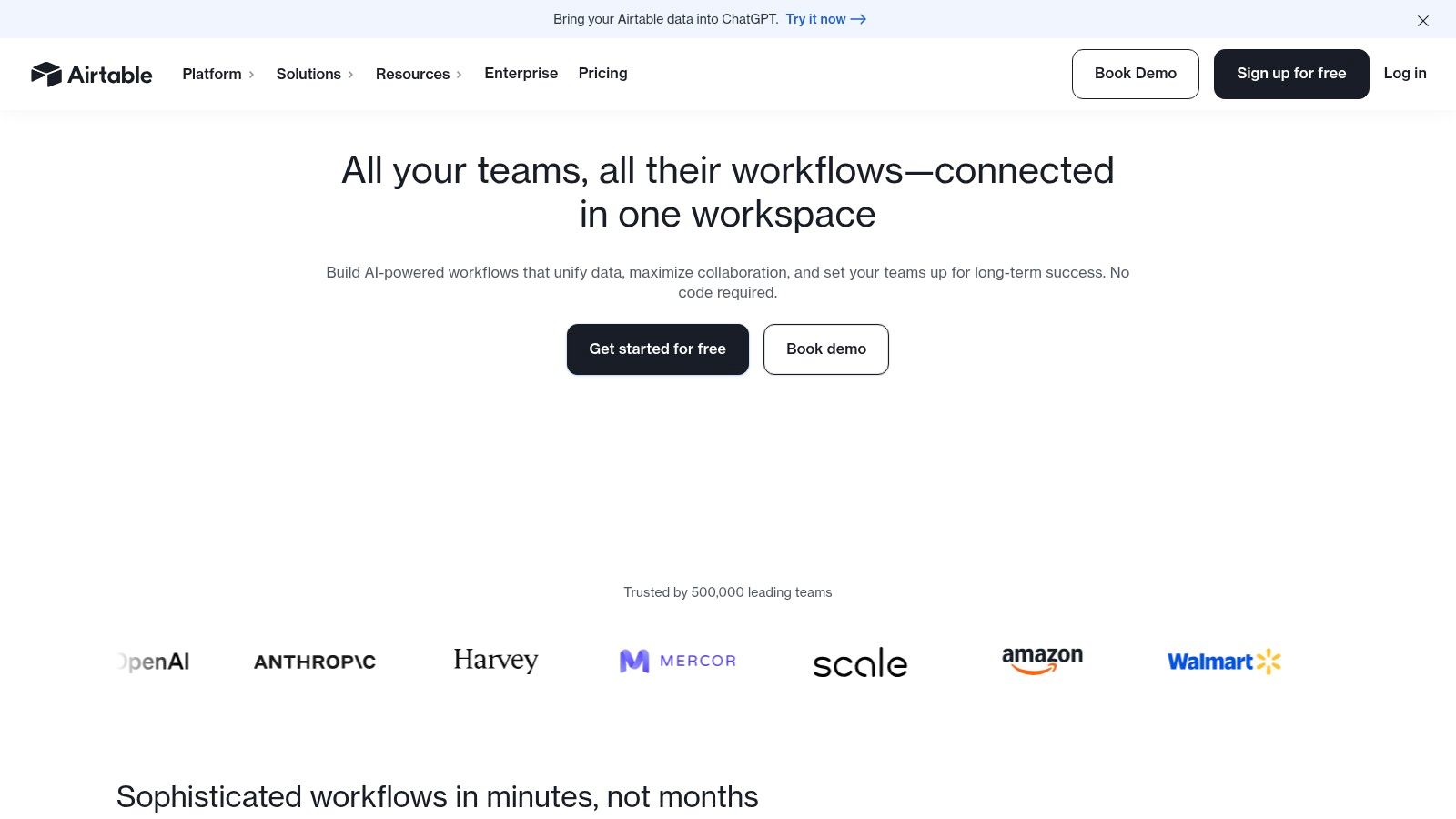
Airtable earns its place when a team has outgrown spreadsheets but is not ready to commission custom software. That gap sounds narrow until you time actual workflows. In my tests, it was one of the few tools that could take a messy intake process and turn it into something repeatable in under an hour.
I used it for campaign requests, editorial pipelines, asset tracking, and partner approvals. The test method was simple: start with a raw request form, route work through automations, pressure-test permissions with different user roles, and measure how quickly a non-builder could find the right record, update status, and hand work to the next person. Airtable handled the data model well. The quality of the result depended heavily on how well the base was designed.
What Airtable does well in practice
Airtable is strongest when the work is structured, cross-functional, and full of status changes that spreadsheets handle poorly.
One setup stood out during testing. A form captured incoming requests, automations assigned owners, linked records tracked dependencies, and an interface gave stakeholders a clean review layer without exposing the underlying tables. That workflow stayed clear even when I added bad inputs, duplicate requests, and approval bottlenecks. In a standard project tool, the data relationships felt cramped. In a spreadsheet, the process broke down fast.
The appeal is easy to understand. Teams want one place to collect requests, store context, route approvals, and report on progress without stitching together several lightweight tools.
Where Airtable asks more from the team
Airtable rewards careful builders and punishes casual setup.
Fields, views, permissions, and automations need naming discipline from the start. If a team builds too quickly, the base starts making sense only to the person who created it. I saw that in testing when I handed a working base to fresh users under time pressure. Builders moved quickly. Occasional contributors hesitated, clicked into raw tables, and lost confidence when labels were inconsistent or interfaces hid too much detail.
A few patterns held up across trials:
- Forms clean up intake: They reduce vague requests and create usable records from the start.
- Interfaces improve adoption: Stakeholders work faster when they see only the fields and actions relevant to them.
- Automation needs maintenance: Routing rules and notifications save time at first, then create noise if no one reviews them.
- Permissions deserve early attention: A flexible base becomes risky if sensitive tables and edit rights are too open.
Airtable is a strong fit for marketing operations, content operations, PMOs, and internal service teams that need process structure with database logic underneath. It is a weaker fit for teams that want instant setup, minimal administration, or strict project management controls out of the box.
9. Miro

A remote workshop starts with ten people talking over each other, two half-formed ideas in chat, and no shared view of the problem. Give that same group a well-structured Miro board, a timer, and a facilitator, and the session often gets sharper within minutes.
Miro was one of the few tools I tested where the live session improved, not just the notes afterward. I ran stopwatch-timed exercises for retrospectives, journey mapping, architecture reviews, roadmap planning, and prioritization workshops. I also tested edge cases: large boards, many simultaneous editors, heavy template use, and sessions led by facilitators with very different levels of experience.
The strongest result was straightforward. Miro gets more people to participate, faster. Sticky notes, voting, diagramming, comments, and clustering all reduce the friction of contributing, especially for team members who will not speak first in a video call. In pressure tests, groups reached a visible draft of the problem or plan much faster than they did in docs or slide-based sessions.
That does not mean Miro replaces execution tools. It improves discovery, alignment, and early decision-making.
Its main weakness showed up just as clearly in testing. Without structure, boards turn into walls of artifacts that nobody wants to revisit. In one multi-facilitator trial, imported screenshots, duplicate frames, and overlapping prompts made the board harder to follow than the meeting itself. Teams left with plenty of activity and little clarity.
A few operating rules consistently improved outcomes:
- Limit the canvas on purpose: Use frames, sections, and clear prompts so people know where to work.
- Facilitate actively: Good whiteboards still need someone setting pace, redirecting discussion, and closing loops.
- Convert outputs quickly: Decisions, owners, and next steps should move into the team’s execution system the same day.
- Clean up after the session: Archive unused areas, label final artifacts, and leave a short summary for anyone who was not in the room.
Miro is a strong fit for product teams, design teams, strategy groups, and cross-functional workshops where shared understanding matters more than rigid workflow control. It is a weaker fit for teams looking for long-term task management, formal approvals, or a durable system of record.
10. Linear
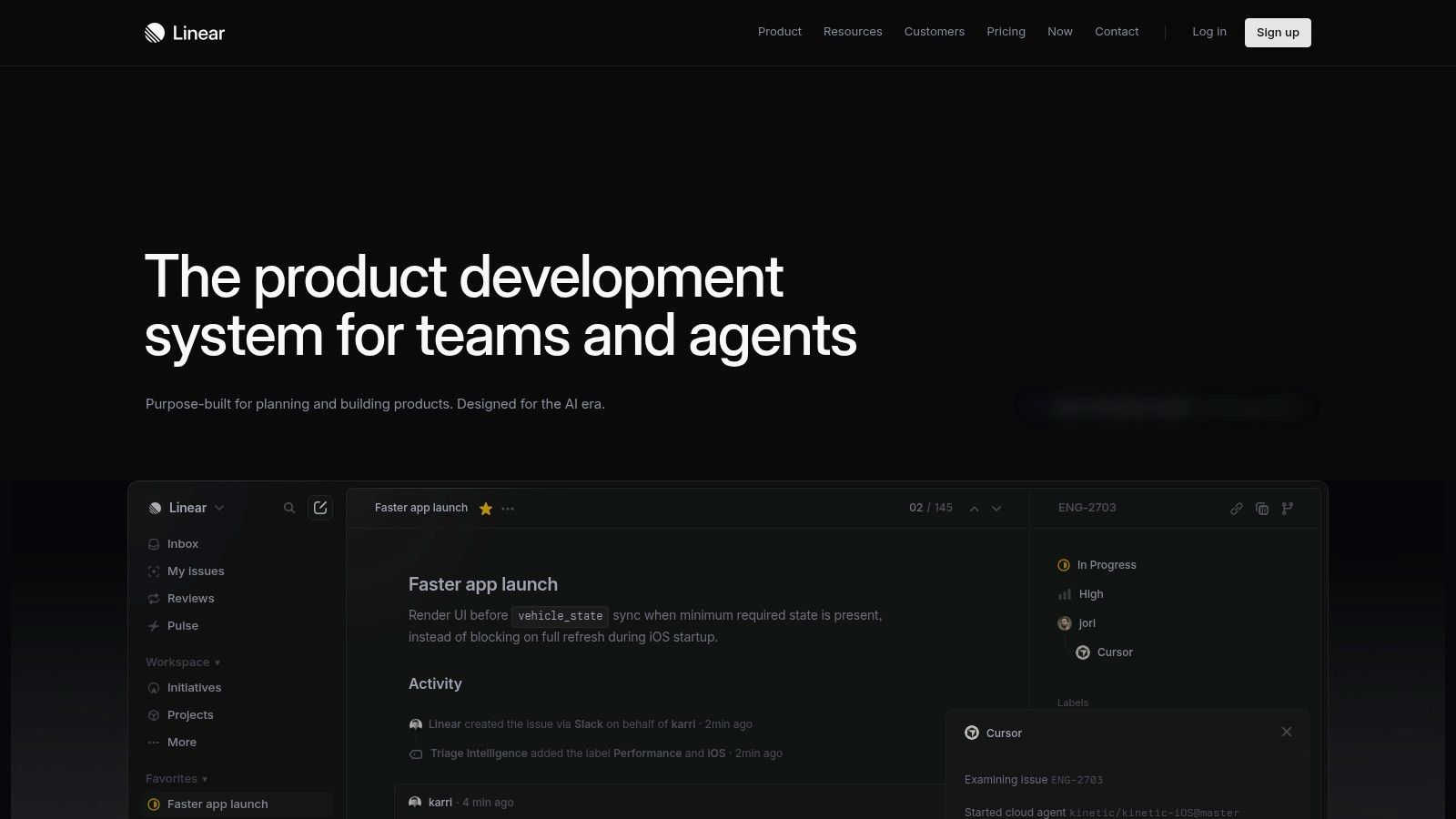
A product team is ten minutes from sprint planning, bugs are piling up, and nobody wants to spend the meeting cleaning a chaotic board. Linear handles that situation better than almost any tool in this category.
Linear was the fastest issue tracker in my tests. I timed routine workflows like capturing a bug from Slack, triaging new issues, updating priorities, and moving work into a sprint. Linear cut down the small delays that make project tools feel heavier than the work itself. Keyboard shortcuts are fast, issue creation stays out of the way, and the interface pushes teams toward a clean operating model.
That design choice matters. Linear gives teams fewer ways to overbuild process, and in practice that is one of its biggest strengths. During simulated collaboration tests with engineers, product managers, and one observer acting as a support lead feeding in urgent bugs, the board stayed readable even under pressure. Statuses were clear, ownership was easy to spot, and roadmap views held together without much admin work.
Why teams adopt it quickly
Linear is opinionated in useful ways. Projects, cycles, triage, and backlog management all fit together without asking an admin to shape the system first. Teams that already work in short planning cycles usually get productive fast because the defaults match how modern product and engineering groups operate.
I also saw less drift over time than in more flexible platforms. After repeated edge-case trials, including duplicate bug reports, fast priority changes, and mid-cycle scope additions, the workspace still felt controlled. That is hard to say about many tools that start clean and slowly turn into custom-field sprawl.
When it’s the wrong fit
Linear fits software delivery best. I tested it with marketing and operations workflows too, and those teams could make it work, but they were adapting themselves to the tool rather than the tool fitting them. If a team needs request forms, complex approvals, highly customized workflows, or broad cross-department planning, other platforms give more room.
That trade-off is intentional. Linear chooses speed, clarity, and discipline over flexibility. For product and engineering teams that want an issue tracker that stays fast after the honeymoon period, it is one of the strongest options in this list.
Top 10 Team Productivity Tools – Core Feature Comparison
| Product | Core features | UX & Admin | Value proposition & pricing note | Best for | Standout (unique selling point) |
|---|---|---|---|---|---|
| Slack | Channel-based messaging, huddles, Connect, Workflow Builder, AI summaries | Familiar chat UX; needs governance; paid tiers provide access to history and AI | Centralizes team comms; free tier limited; paid per-user for AI/search | Cross-company teams, product, ops | Best-in-class integrations and AI-enhanced search |
| Microsoft Teams | Meetings, chat, channels, Whiteboard, Office co-authoring, telephony, compliance | Deep Microsoft 365 admin controls; governance can be complex | Included with Microsoft 365; standalone Essentials for SMBs | Microsoft-centric orgs, regulated/government | Tight Office/identity integration and enterprise security |
| Google Workspace | Gmail, Drive, Docs/Sheets/Slides, Meet, Gemini AI, real-time co-editing | Cloud-native, cross-platform; admin console scales; migration planning needed | Per-user plans; Gemini features vary by tier | Cloud-native teams and mixed-device fleets | Smooth real-time collaboration with Gemini AI across apps |
| Asana | Tasks, timelines/Gantt, boards, portfolios, unlimited rules on paid tiers, Asana AI | Intuitive PM UX; scales to portfolios; advanced features require higher tiers | Per-seat pricing; AI Studio is an add-on | Cross-functional teams and program/portfolio managers | Strong stakeholder views, reporting, and workflow templates |
| monday.com | Custom boards, Gantt/Kanban/calendar views, automations, product SKUs, templates | Fast to configure; feature depth varies by SKU; 3-seat minimums on some plans | Per-seat + per-product pricing; templates speed deployment | Departments (sales, marketing, ops) needing no-code apps | Highly visual no-code Work OS with productized solutions |
| Atlassian Jira Software (Cloud) | Backlogs, boards, roadmaps, powerful workflows, automation, dev tool integrations | Extremely configurable but complex; admin skill required for scale | User-tier pricing; add-ons and enterprise tiers increase cost | Software engineering teams and complex project tracking | Deep workflow engine and dev toolchain integrations |
| Notion | Pages, databases, teamspaces, multiple views, Notion AI for notes/agents | Extremely flexible; can sprawl without governance; permissions improve by tier | Per-user pricing with generous guest access | Knowledge bases, SOPs, lightweight project hubs | Combines docs + databases into a single adaptable workspace |
| Airtable | Relational bases, interfaces, forms, automations, portals, AI features | Balances spreadsheet ease with DB control; app builds need design/admin | Per-editor billing; heavy automations may require higher tiers | Marketing/product ops, content, inventory, partner workflows | Relational no-code database with role-based interfaces and portals |
| Miro | Infinite canvas, 5k+ templates, integrations, AI credits, Talktracks for async | Excellent for workshops; large boards can be sluggish; enterprise controls on top tiers | Per-user plans; AI credits vary by tier | Remote/hybrid teams, facilitators, design and discovery workshops | Best-in-class visual facilitation and template ecosystem |
| Linear | Issues, roadmaps, Insights, Triage Intelligence, GitHub/Slack links, AI agents | Ultra-fast, keyboard-first UX; opinionated defaults reduce admin | Per-user pricing; clear upgrade path for Business features | Startups and product-led engineering teams | Exceptional speed and usability with built-in product focus |
Final Thoughts
A team hits 4:30 p.m. on Friday with three versions of the same plan, two chat threads arguing over ownership, and no clear record of the final decision. That is often the point where tool selection stops being theoretical.
The best productivity tools for teams solve different failure points. Slack and Microsoft Teams centralize communication. Google Workspace gives teams a practical baseline for docs, email, meetings, and shared files. Asana and monday.com handle cross-functional planning well. Jira and Linear fit technical execution better, especially when process discipline matters. Notion and Airtable can become internal systems for knowledge and operations, but only if someone owns structure and governance. Miro improves workshops, mapping, and early planning, yet it seldom works as the system of record for ongoing delivery.
Selection gets clearer when the evaluation starts with actual breakdowns in the work.
If decisions disappear in chat, test communication and search. If nobody can tell who owns a deliverable, start with project tracking. If teams are maintaining brittle spreadsheets that now act like databases, Airtable deserves a close look. If engineering resists every general-purpose work tracker you introduce, put Linear and Jira in a live trial. If remote planning sessions drag and nobody leaves aligned, Miro often delivers value faster than another reporting layer.
In my testing, the same questions decide whether a tool survives past rollout:
- Can a new user finish a real task without heavy onboarding
- Can a manager trust the output without cleaning up the data first
- Can the platform handle cross-functional work without turning chaotic
- Can admins set rules and permissions without slowing everyone down
- Can the team still work effectively when deadlines get tight
Those checks matter more than feature counts. A polished demo can hide weak search, noisy notifications, awkward permissions, or reporting that falls apart once three departments use the same workspace. AI features can help with summaries, triage, and follow-up, but they do not fix unclear ownership or a messy operating model. Teams get better results when the platform matches how decisions are made, where records live, and who is responsible for next steps.
Tool count matters, too. Adding another app to a stack with poor naming standards, loose permissions, and no archive discipline often creates more drift, not more output. In practice, fewer handoffs and fewer duplicate systems beat a broader feature set spread across too many products.
The strongest buying process is a live pilot. Use one actual team. Time routine workflows with a stopwatch. Simulate guest access, approval changes, and last-minute edits. Review what happened after a busy week of actual notifications, not a clean sandbox. Weak products often fail under pressure, during setup, or in the handoff between teams.
If you're comparing software and want evaluations grounded in actual usage, not vendor copy, visit Digital Software Reviews. We test platforms the way buyers and operators use them, with stopwatch-timed workflows, edge-case trials, and direct reporting on trade-offs, rollout friction, and fit.